Keystone Tool Still Broken in 14.4

Just your persistent reminder that the keystone tool is still broken. Lots of examples here: https://support.captureone.com/hc/en-us/community/posts/360014766977-Keystone-tool-fix-request-for-information
As before, it seems to work fine for some images, and fails on others. Fail = makes parallelograms instead of rectangles.
Also, the new thicker lines are worse for me - they obscure too much when zoomed in for critical placement. Ideal would be options for thickness, color and opacity.
-

"Also, the new thicker lines are worse for me - they obscure too much when zoomed in for critical placement."
Even at 1600%?
0 -

I don't get why we need to zoom in first. Why not designing the two keypoints as loupe?
0 -
Just your persistent reminder that the keystone tool is still broken.
It works for me.
0 -
It works for me.
Here's one that fails for me - ends up leaning slightly to the left.
(Image toward the end in the DP Review Sony A1 sample gallery - Wagon Shop storefront)
https://www.dpreview.com/sample-galleries/5226835446/sony-a1-alpha-one-sample-gallery/8449534768
Edit: hopefully this link is better.
0 -

...yes,.it is still broken ! but maybe this is a creative feature for ultra creative content creators... who needs straight lines, this is so uncool......
0 -
Alan,
The link does not seem to work.
Image 121 on the review I found (there are at least 2 but the earlier one has only 46 sample images) is of an old tractor. So I am wondering if I found the same sample.
0 -
so the self acclaimed market leader is not only unable to fix bugs they are also unable/unwilling to develop a better more advanced tool comparable to what dxo or adobe offer. DxO ViewPoint is now soon 10 years on the market, should be time enough for this looser to copy it.
0 -
SFA,
I edited the post above with hopefully a better link. Oddly, when I checked back in that sample gallery, the image was in different positions in the sequence two different times.
Review page is here:
https://www.dpreview.com/reviews/sony-a1-review/8
Image is towards the end of the first sample gallery, a wooden building with "Wagon Shop" signed on the front.
0 -
For me, the keystone tool seems to fail in 3 states:
- Outside of adjustment range.
- Within adjustment range, but clearly not corrected.
- Pretty close, but upon detailed inspection, lines are off horizontal/vertical by .5˚ or so.
The Wagon Shop image I linked fails per condition 3, vertical lines are off by ~half a degree.
Here's an example of condition 2:
Set points:
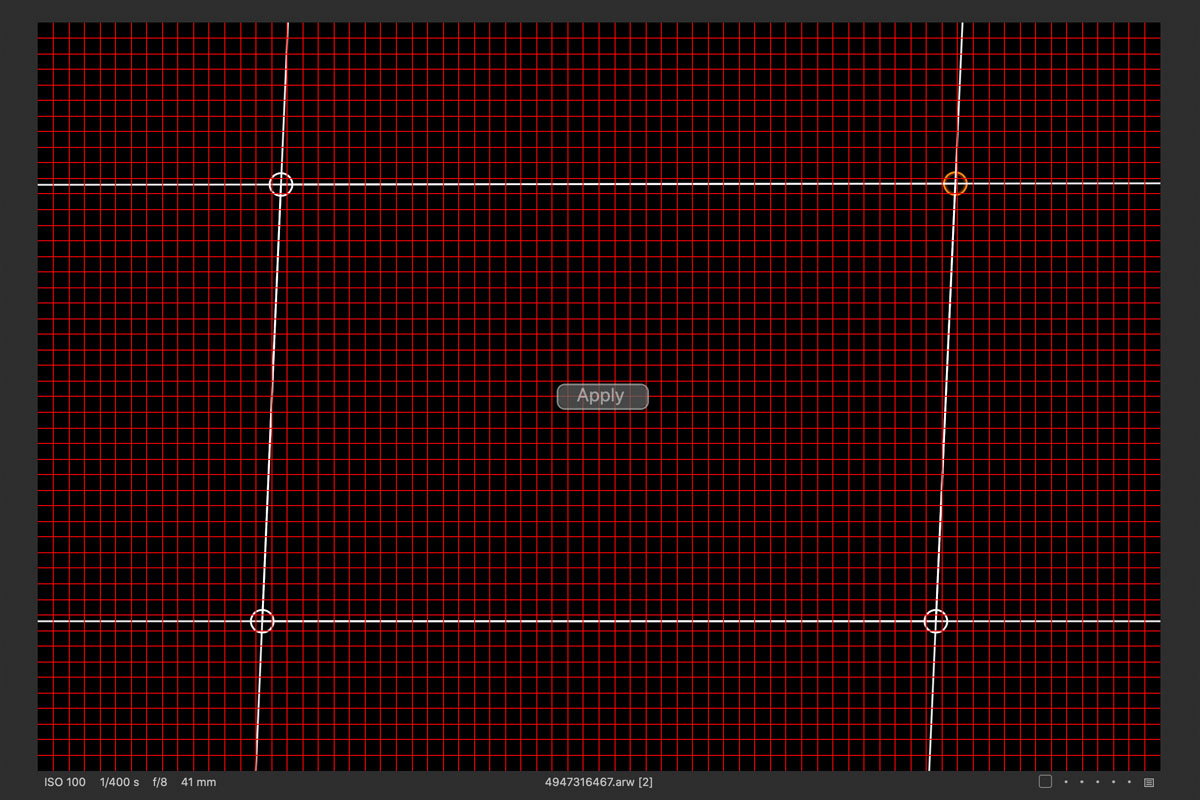
Result:
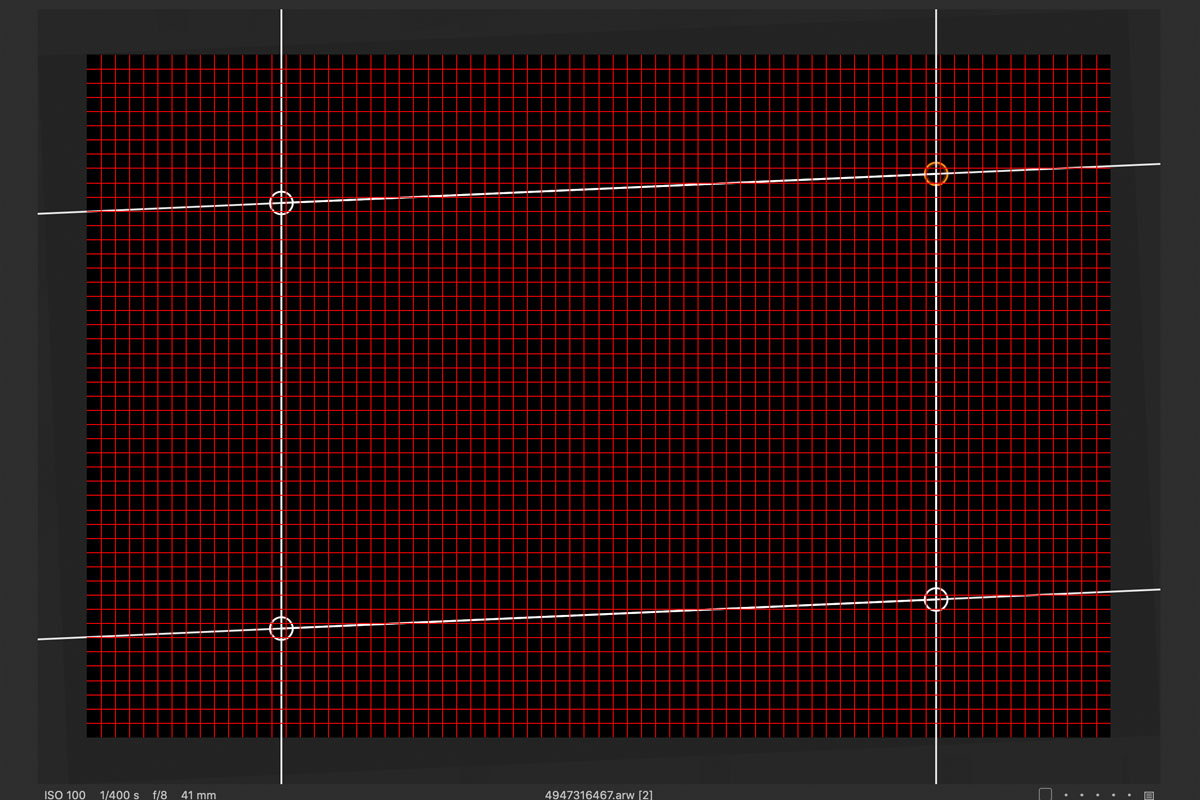
An example of condition 3:
Set points:
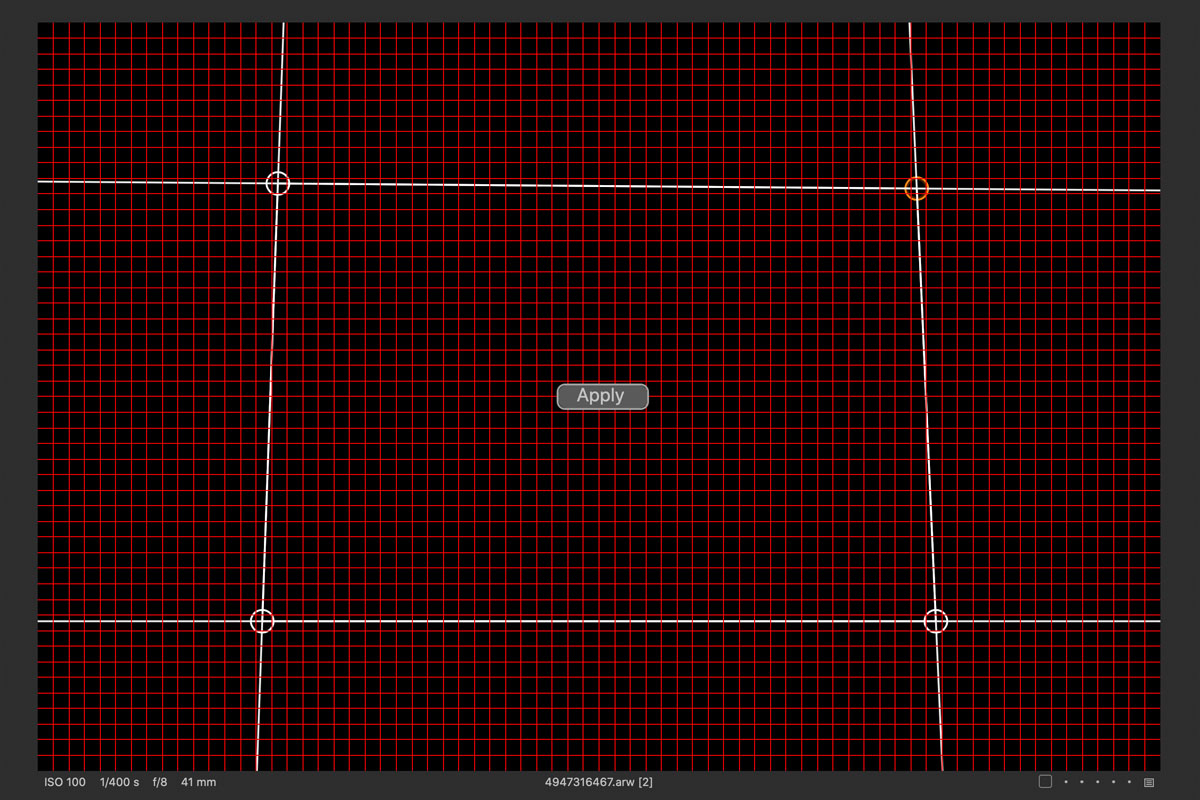
Result:
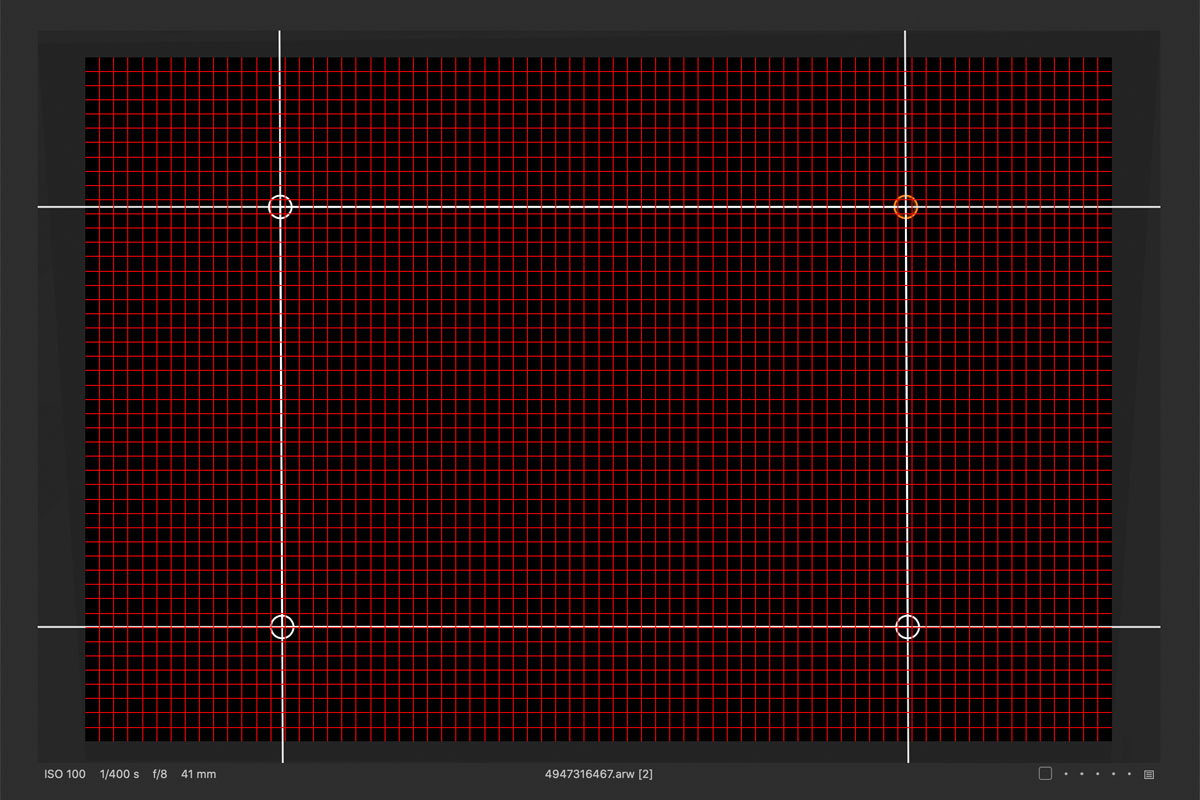
This appears correct at a casual look, but the "vertical lines" are angled by .5˚
1 -
Apart from the thicker lines, there has been no change to the keystone tool for many years (none, at least, that has been mentioned in the release notes), so unless this is with image files from a Phase One camera, it most likely wouldn't include the many use cases where it clearly doesn't work for other users.
See this topic for a number of examples of the keystone tool not working as it should.
And I agree that while the thicker lines are, obviously, easier to see, they've made it more difficult to place the adjustment points correctly. Of course you can zoom in, but having to zoom in and out repeatedly doesn't exactly make it easier to use the tool, which was, I assume, supposed to be the point of this change.
1 -
..they copied the catalog... luminace range, dehaze and now HDR and pano so in approximately 5 to 10 year they will have copied perspective control features from Lightroom too. ;-)
0 -
Alan,
I am slightly suspicious about whether all building, especially wooden ones of some age, are as vertical and horizontal on all edges as we might think they appear to be ... but putting that small concern aside;
I'm working with V20 at the moment but as we know nothing has changed so no big deal EXCEPT have no Sony A1 support for RAW files so I used the jpg. That is compromised in so far as I suspect there might be some useful lens corrections to make but obviously there is no correction available for what is burned in to the jpg file.
With a rotation of -1.05 to set a level based on the centre of the image and the following values in the Keystone tool I think the results looks pretty realistic if one seeks a Square on result. But that's using the jpg and I wonder if working from the RAW produces a different result
Vertical 16.53
Horizontal -57.46
Amount 100
Aspect 0
My personal preference would probably be to dial it back a bit and fine tune around the 90% amount and I think a little lens adjustment tweaking might allow a subtle aspect ratio tweak if one wanted to be picky.
However, the subject matter, to my personal preference seems more interesting at the angle at which is was shot, albeit with the camera slightly higher and less upward pointing by a tad in order to reduce the converging verticals.
Anyway, do the same values used on a RAW file give something like the same results as they do in the jpg?
But then the shot was not taken primarily for an exercise in architectural shooting.
-1 -
"I am slightly suspicious about whether all building, especially wooden ones of some age, are as vertical and horizontal on all edges as we might think they appear to be"
Regardless of the shape of the building itself, the quadrilateral formed by the building in the photo should, once keystone correction has been applied, be rectangular. Whether you like this result or not is another matter and not what is at issue here.
1 -
Thomas, you are assuming straight edges and lengths that look reasonable to the eye.
For full, variable pixel manipulation on anything that is not exactly as straight as you want for the final output you need a different approach to correct it. By selective adjustment. Photoshop style. Something along the lines of the warp tool used to de-bend a line.
But anyway, that was simply an observation and something related to the question that I posed to Alan since he seems to have a copy of the image and is already familiar with it. So it should be something quick and easy to check.
-1 -
Aesthetic preferences on how buildings should be projected are great, but a totally different subject. The fact remains that in Capture One, defining points to align horizontally and vertically doesn't work.
1 -
@SFA – Whether or not you like what keystone correction does (or is supposed to do) is an entirely different matter. May I suggest, again, that you take that discussion elsewhere rather than attempt to sidetrack every single thread about problems with the keystone tool. If you want to challenge the norms of architectural photography (etc.) it should be obvious that this isn’t the right place to do it.
1 -
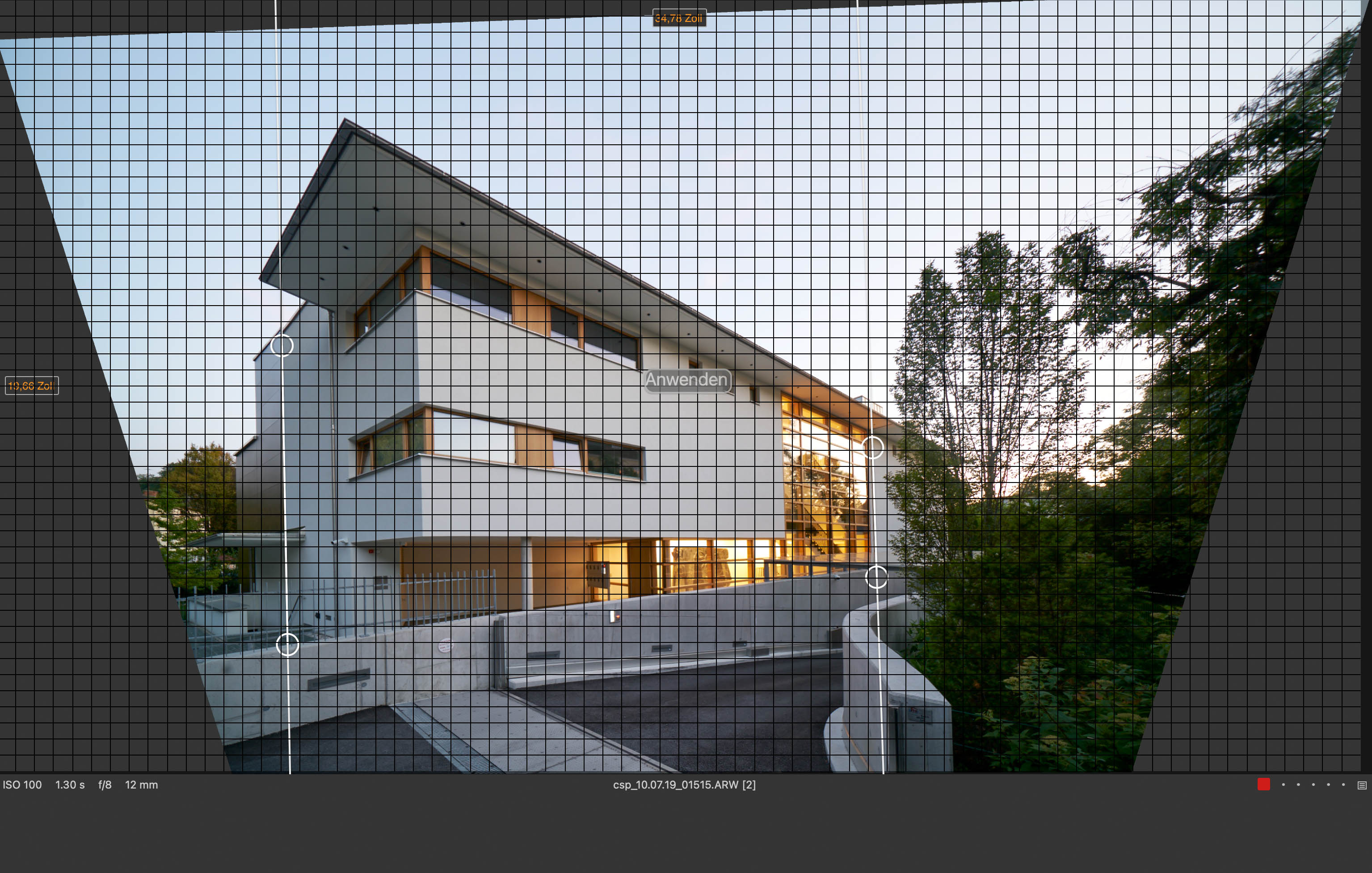
this tool is far more broken than I have first thougth. when you apply correction for the vertikal lines and than enter 100% value the result is totally off.
 0
0 -
Indeed. Though often in cases like this, the issue is with the Angle setting and a small manual adjustment will correct it (which makes you wonder why it hasn't been fixed a long time ago).
0 -
this tool is totally unusable for serious work, also think the reason why they set the correction at 80% is to hide all sorts of shortcomings and more when you look closer at the transformation c1 applies it looks kind of optically wrong compared to dxo or adobe too.
you ask why this tool is not maintained as every serious company would do ? well I think the reason is they give a f..k about us as long as it does not become a public issue which effects their fake image.
0

Post is closed for comments.
Comments
19 comments