CaptureOne pro mit trial licence

Ich habe captureone pro full gekauft, aber die licence die ich bekommen habe ist für captureone trial. Wenn ich captureone21 öffne, erscheint oben rechts "trial"
Danke für Eure Antwort
Grüsse
Richard
-
Did you use the trial first? If you did, have you deactivated the trial before restarting with the new Pro licence code?
Ian
0 -
yes I used the trial, then I've deleted the software completely. then I installed the software from the link in y mail and filled in the licence key. But when I open the sw I still get the trial version.
0 -
OK. So when you have opened it (and it's the trial version) go to License on the Help menu (as you are on Windows - different menu on a Mac). Deactivate Capture One on that computer.
Then close Capture One.
Open it again and enter your new license number when prompted.
See the Help page here, too.
https://support.captureone.com/hc/en-us/articles/360002467237-Deactivating-Capture-One
Ian
0 -
Thanks Ian
But the license key looks as follows:
still tryal key!! the following key looks like a trial key I got with email
but I both the full sw
Hi,
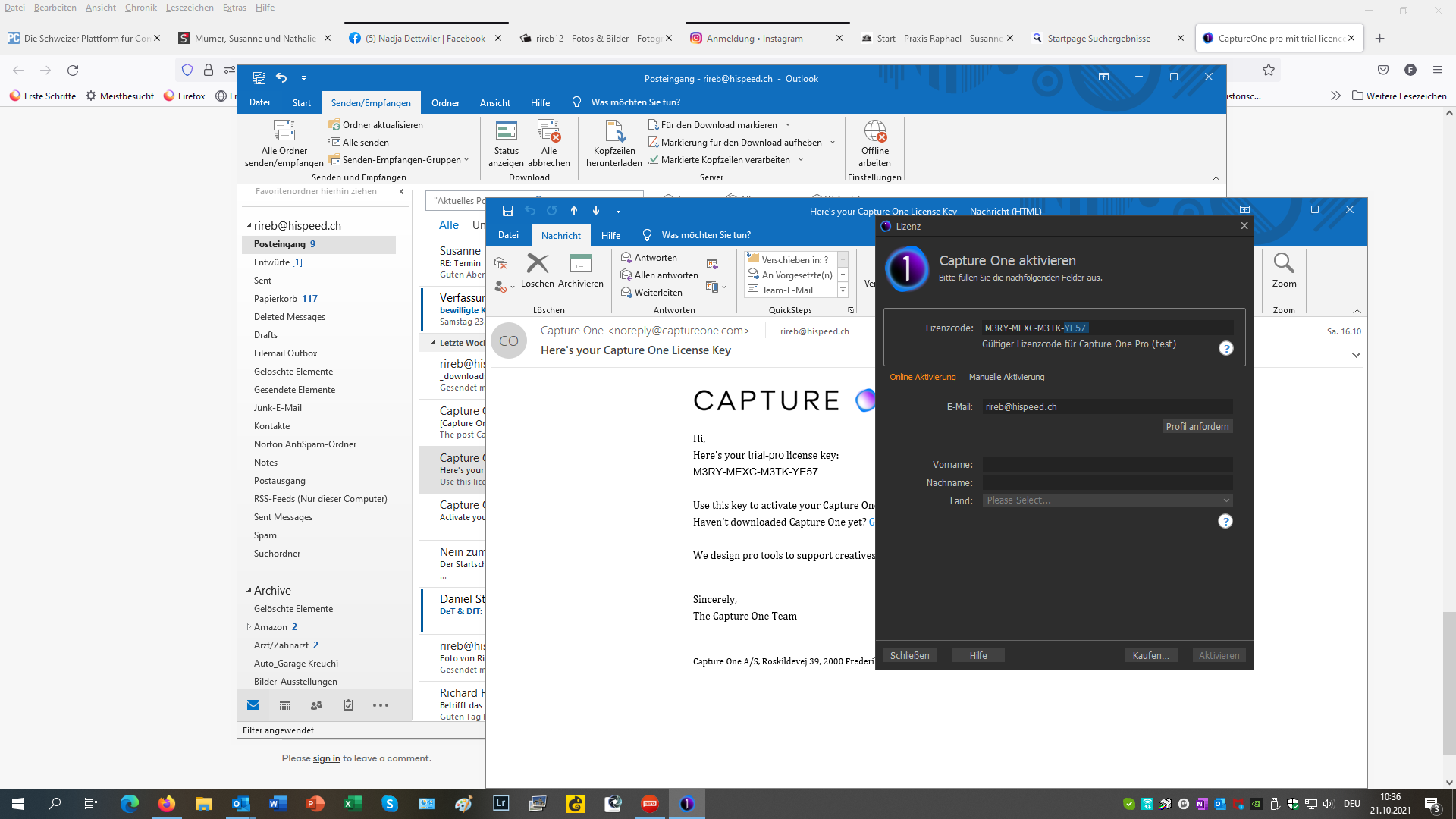
Here's your trial-pro license key:
M3RY-MEXC-M3TK-YE57
Use this key to activate your Capture One software and you're all set!
Haven't downloaded Capture One yet? Get it here
We design pro tools to support creatives like you - and we hope you enjoy creating images with us.
Sincerely,
The Capture One Team
Capture One A/S, Roskildevej 39, 2000 Frederiksberg, Denmark
0 -
Richard
First I think you should edit that post and hide your license key.
Second, when you bought the product, after you had the trial, did they not send you a new product key?
You can also log in to your account on the Capture One website and go to the manage licenses section like this.
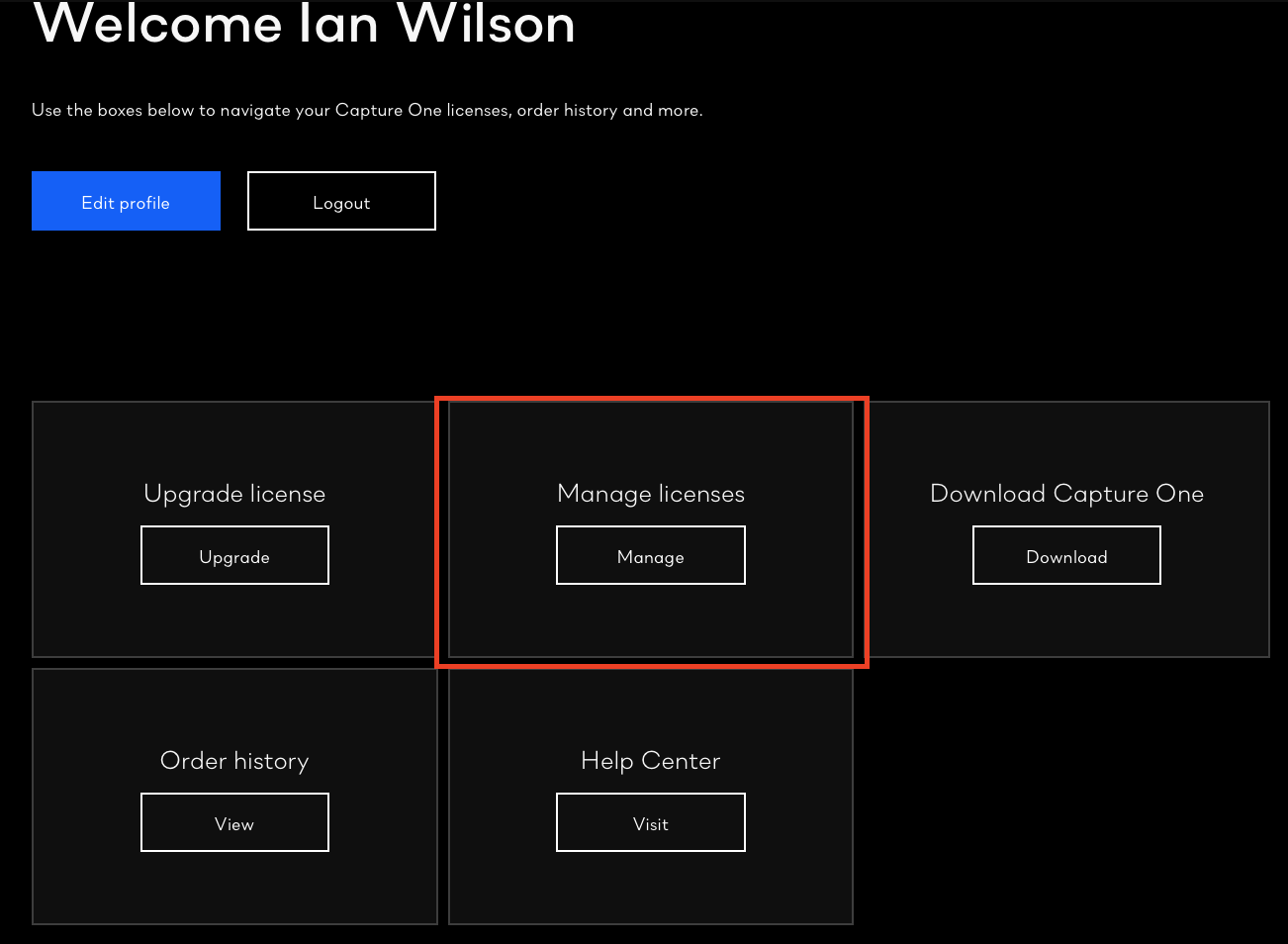
Then you should be able to see your licenses, and it will display your license code there, like this. (For obvious reasons, I have blurred out my code, and my email address).
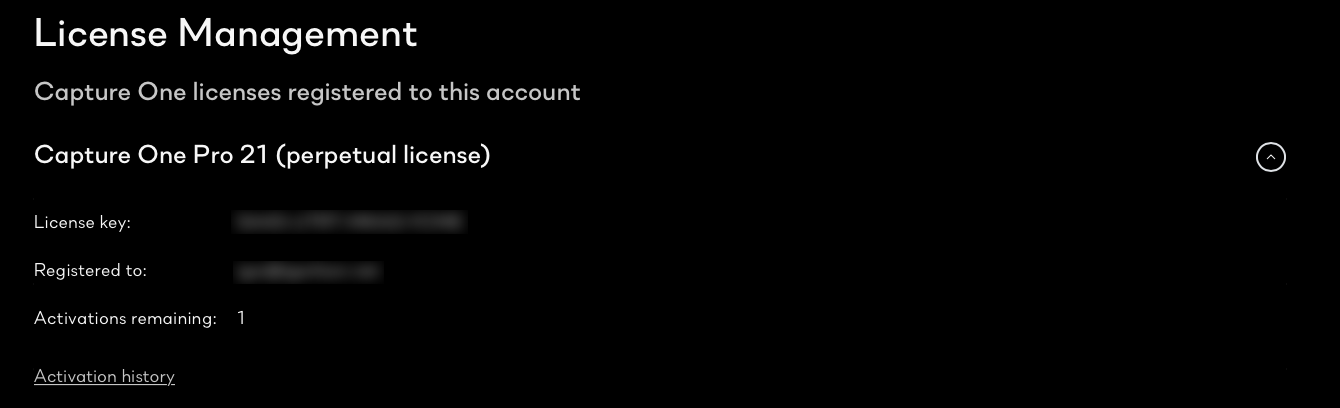
Is the license key shown there the same as the one you were using?
Ian
0 -
Hi Ian
No I just got the trial code after I both the sw
 0
0 -
now I cannot login with this code anymore
0 -
in licence management the same code is showing.
0 -
just tried again, filled in my personal data, but same thing.
Seems that I definately got a trial code by email
0

Post is closed for comments.
Comments
9 comments