CO FUJI 21 with Big Sur 11.4

I recently did a bare metal install of Big Sur(prise) on my laptop. I did a clean install of CO 21 Fuji Express, and capture one is unusable... Here are the problems...
- If I close the default catalog, Capture One closes too...
- There is no option to create a new catalog with an existing catalog open, hence I can't create a new catalog...
- I can import new files into the default catalog, so that is better than nothing... I can't, however, create a new session - the option does not exist.
This is all very frustrating... I don't use the software that often, and of course have been paying $10/month over a year now, only to find out it doesn't work with BIG SURprise...
Any suggestion would be greatly appreciated...
-

Preferences...
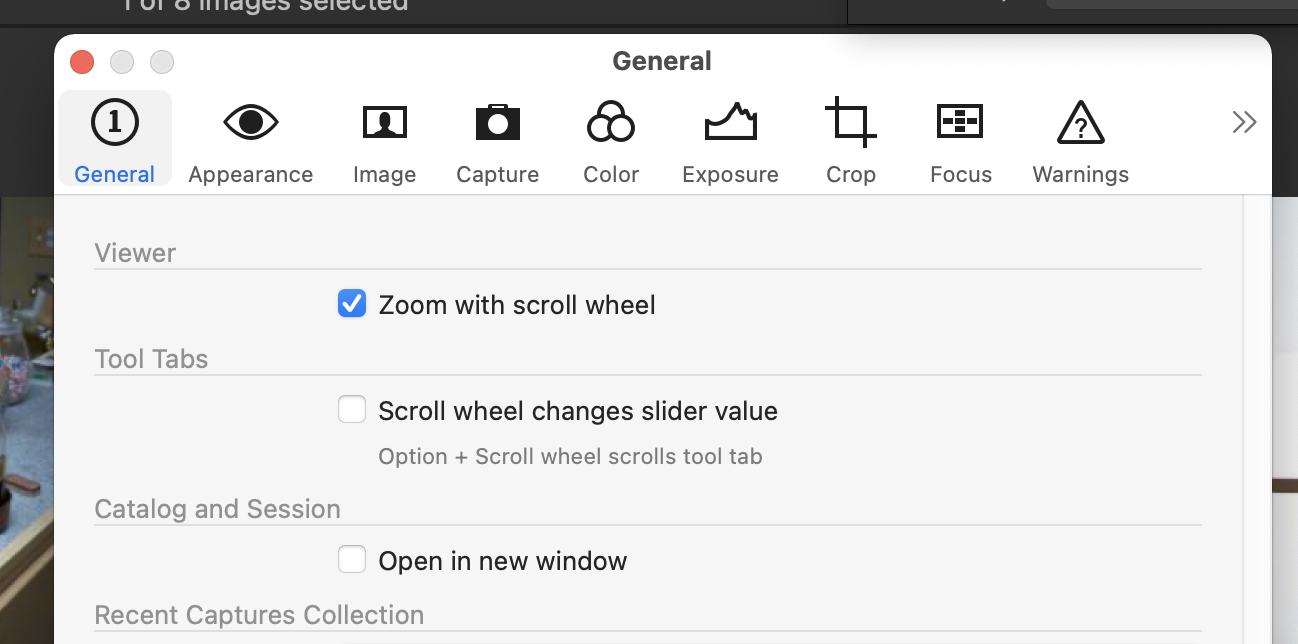
Is the Open in new window box checked? If not that might explain why you can't have more than one catalog open at a time. I prefer it that way. Not everybody does which may be why it is a user option.
Cmd-N should create a new session.
0 -
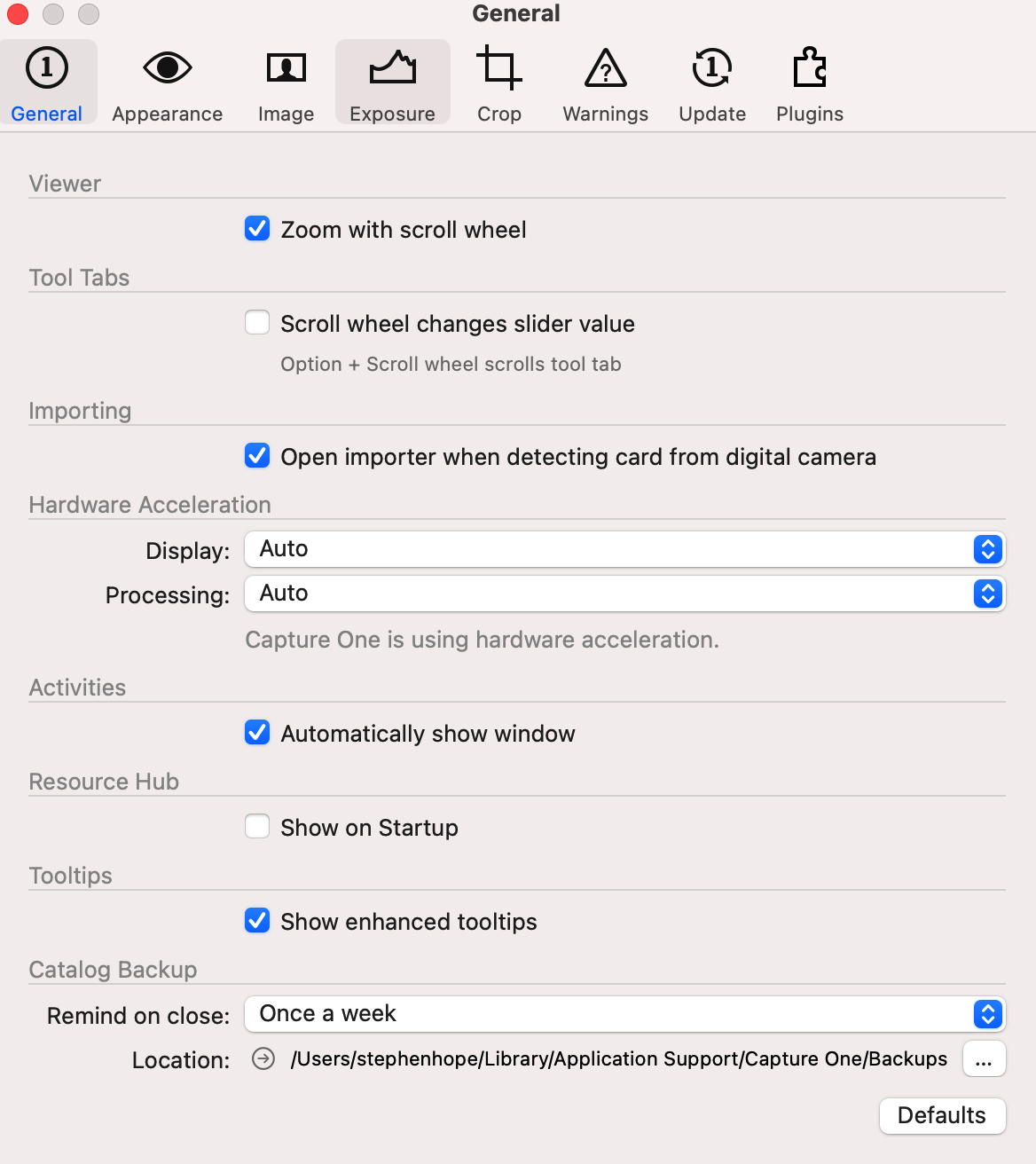
Thanks for the quick response.... My preferences don't look anything like yours... There is no option for catalog and session... Also cmd-N does nothing... Quite honestly I think its a crApple Big Sur problem... Big Sur killed my laptop... I just spent 2 days doing a bare metal reinstall because Genius' said that would fix it, and it's certainly different from the original 11.1/2/3/4 upgrade, but still completely broken --- go figure
 0
0 -
Oh... I didn't read your initial post as well as I thought. Yeah, the Express versions of Capture One are limited. You've run into some of the limits. You will either need to change your workflow or pay for the Fuji or Pro non-Express versions.
0 -
That is s odd though, because I started using capture one 20 Fuji Express, and I used to be able to create sessions...
Moreover, the option to import sessions is in the drop down menu, although it is grayed out.
This is all very strange... And CaptureOne FujiExpress 20 is not compatible at all with Big Sur, so I guess I am hosed...
0 -
Ok... Import Session is NOT grayed out which means I should be able to create a session, but I can't... Also in the catalog, I can't create any adjustment layers whatsoever... I can do basic adjustment on color, contrast etc. and that is all... I can't imagine all the features I used in CO20 Fuji Express were removed... It's so bizarre.
0 -
Are you sure you were using Capture One Express for Fuji? I don't think the Express versions have ever supported layers.
0 -

I’m confused too. The express version is free I believe? And indeed it doesn’t support layers, just like it didn’t in v20.
0 -
Well the. I am confused too because I pay for a subscription for capture one Fuji and when I blew away the laptop and reinstalled, it asked for licensed files etc which I got feom my capture one account, and this is what it gave me.... hmmm
0 -

If you tried the Express version before taking one the Subscription you may still have a record of that activation code showing in your account.
I would expect that you should also have a Subscription activation code available. (Unless you have 2 accounts and the Subscription is on the other one.)
As I understand things this would not be possible for a non-Express (i.e. paid for) licence since a subscription arrangement terminates any previous perpetual license arrangement. However, for a "free" Express version that may not be the case.
Alternatively, there may simply be an anomaly in the system for some as yet unknown reason.
0 -
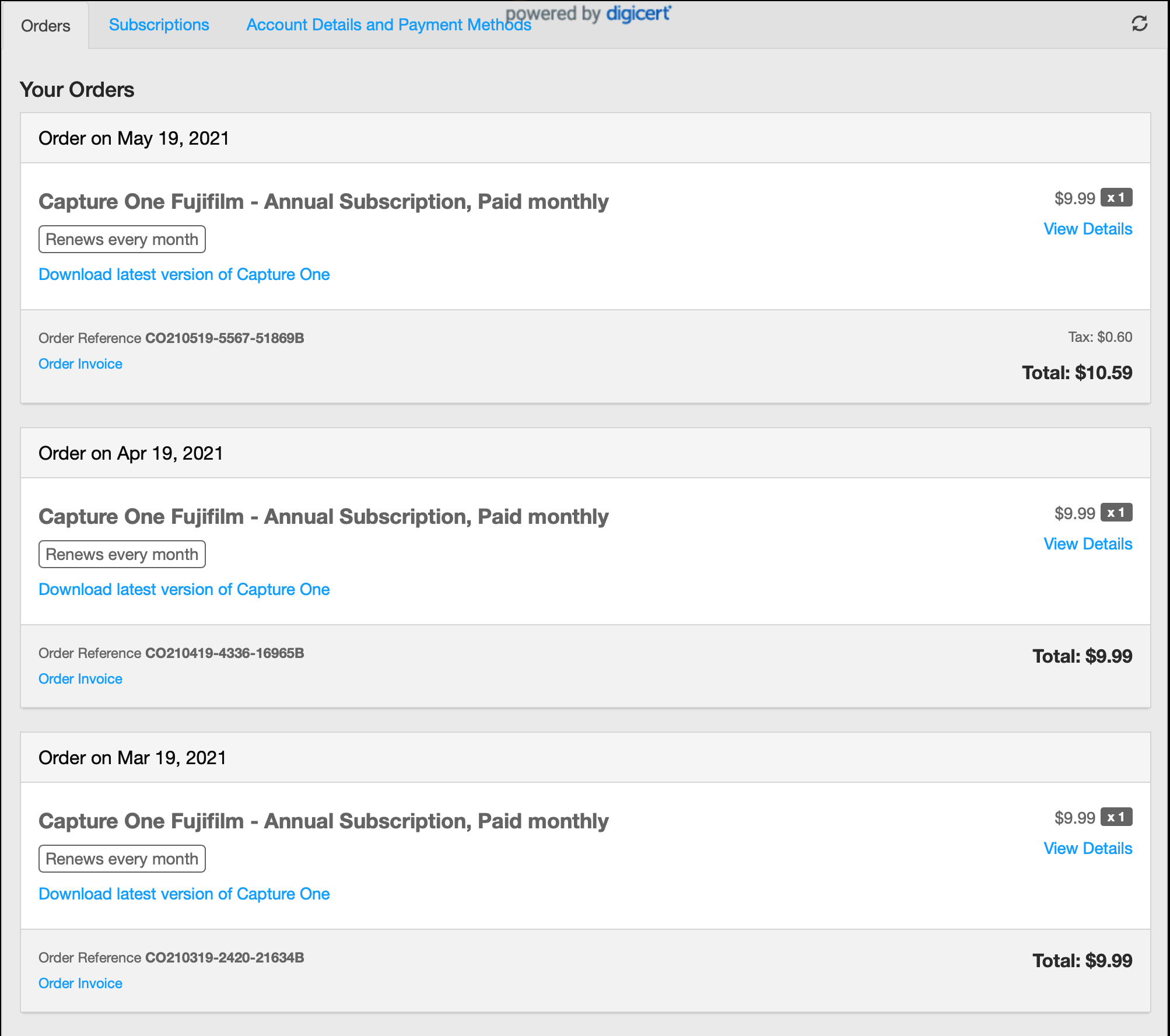
I have a subscription - its paid every month... And in order history it shows the key with the first payment... I know it worked before because I used layers etc... But now, it won't accept that key... I look in my licenses, there is a different key there, but it is for the express version... I have yet to find a phone number or a chat portal for CaptureOne... I sent an email... Hopefully this will be resolved
0 -
 0
0 -
If the Express activation is active (and it sounds like it is based on your description), go into your account and de-activate it.
Then restart Capture One and when prompted for an Activation code be sure you use the code supplied for your Subscription order.
Capture One respond to personal Support Requests made using the "Submit a Request" function found on most Community Support Pages. This will provide you with a reference number and a complete transaction-by-email and comments support record.
It is, so far as I am aware, the only "Official" support system that ties all support operations together and prompts for relevant useful information, where appropriate, to facilitate the request.
0 -
Online, CaptureOne says I only have a an Express License...
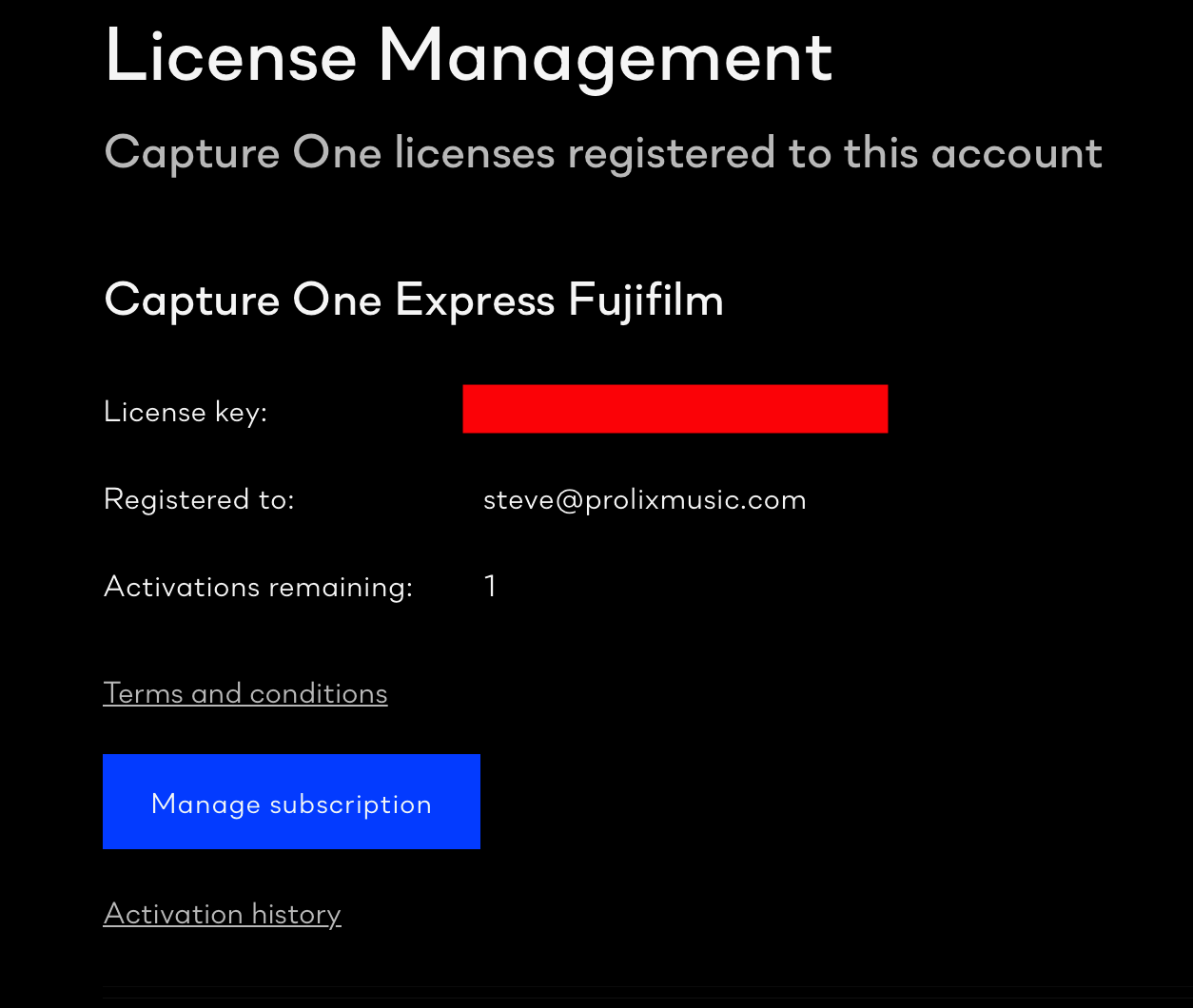
But then I look at subscriptions, and I have a different license key...
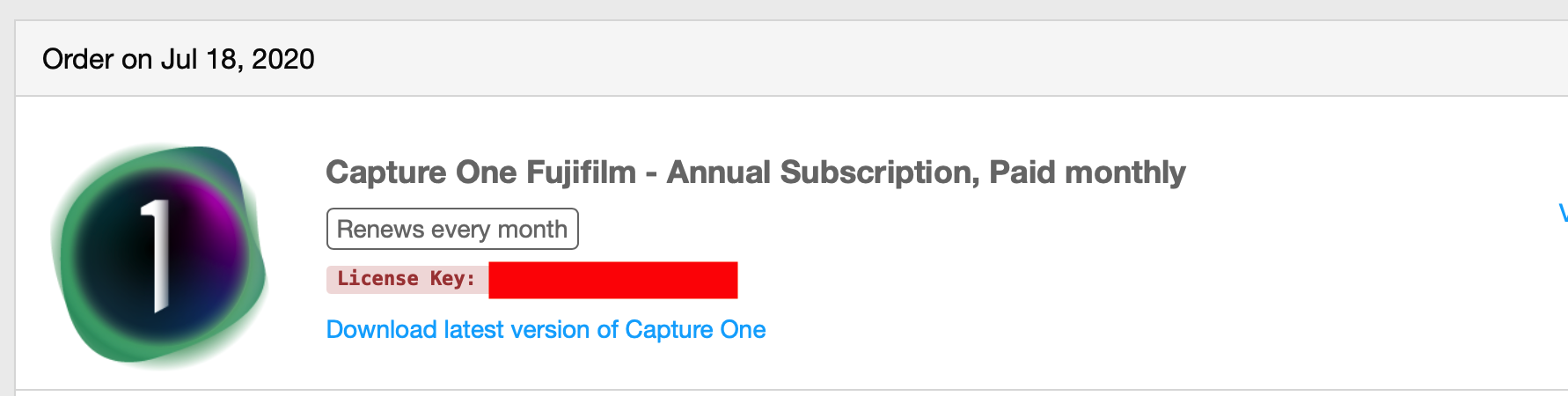
I put that key in --- its says its valid, but then it says the activation profile is incorrect....
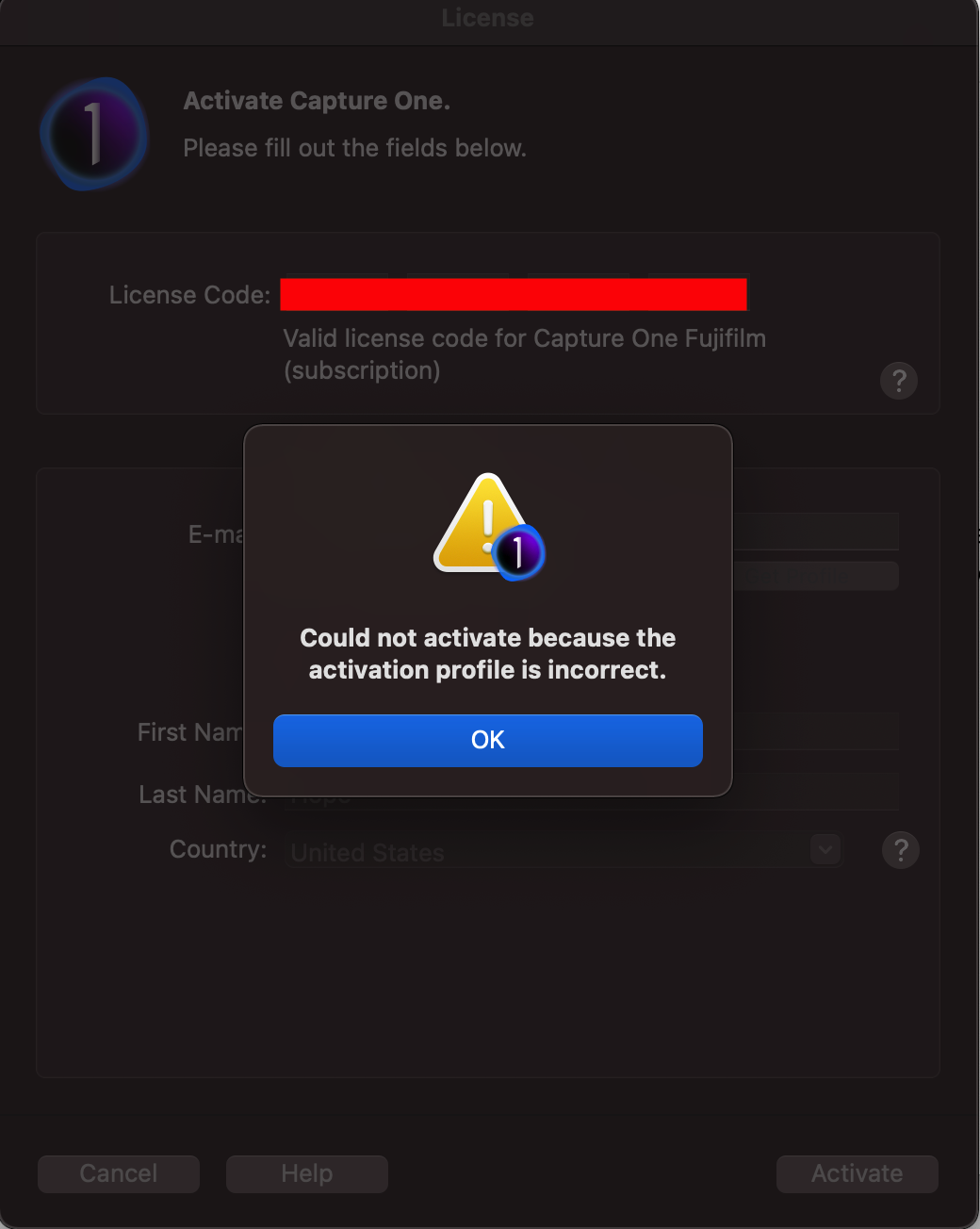
So how do I take that license key and attach it to my profile so that I can actually use it???
0 -
Tried the offlne activation too....
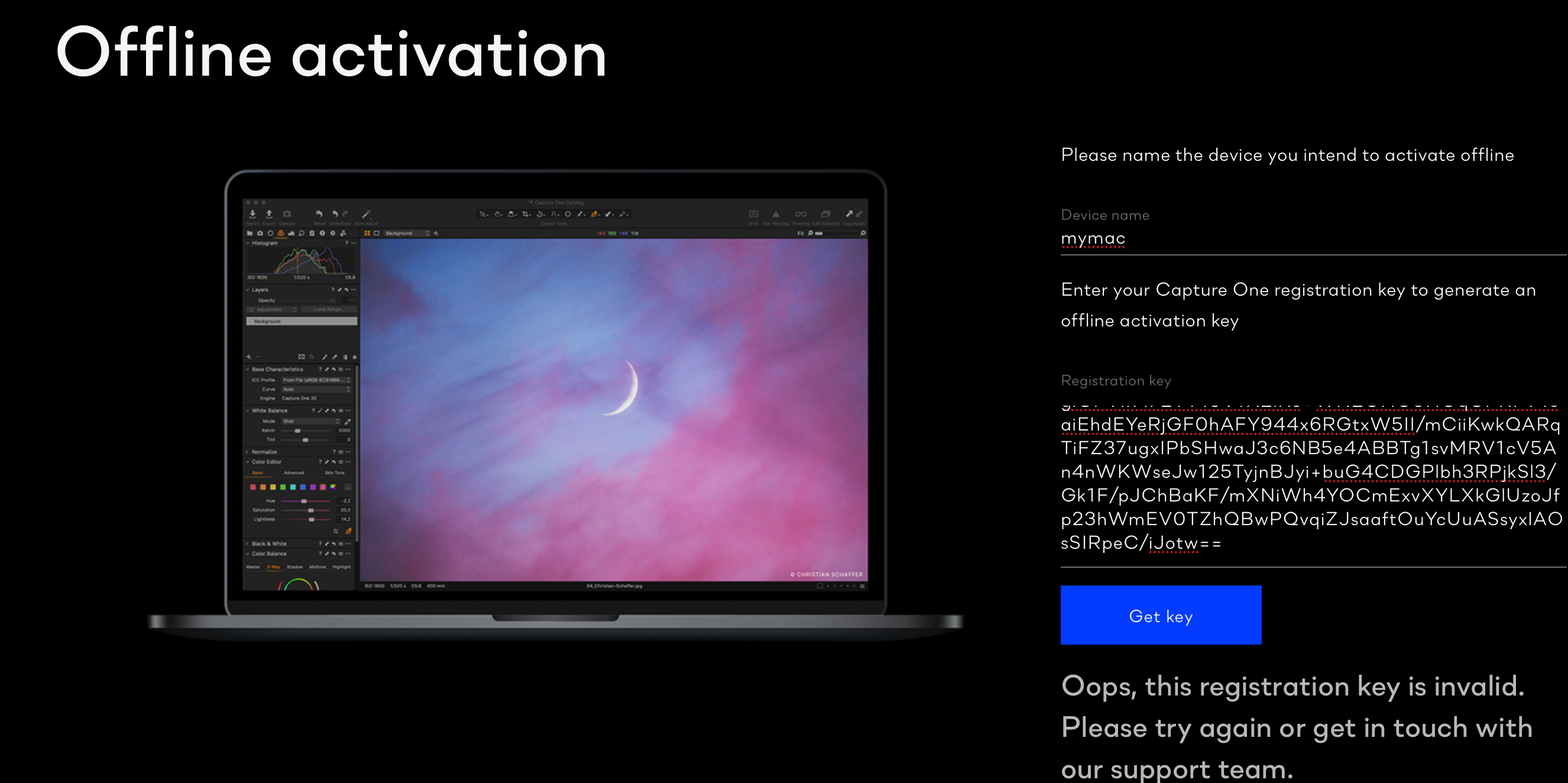
How do you get in touch with the support team?? There are no phone numbers and the system forwards you to support forums....
CO Team - If you are seeing this, I need support please :)
0 -
Upper right corner of this page (and most others) is "Submit a request". That is a button. Click it. It is the only way I know to open a support case with Capture One. Do not count on anyone from Capture One reading/replying to the forum. It happens, but don't count on it.
Open a support case.
0 -
With C1 Open, select the drop down "Help" menu and then the "License" link. You should see the License info much as above and below that the current Activation information. If C1 is running it should mean that you have an activation on that device.
At the bottom right of the screen, you should see a "Deactivate" button. Be sure you are not doing anything by way of editing in C1 and hit Deactivate.
Back in your account screen (as C&P'd above) you should see an Activation History heading. Open that to see what it tells you.
Now, if you do not see C1 load and open but it prompts immediately for activation and yet still will not allow you to apply the code, that would mean that Express is not activated and nothing else is activated on that device either. So if the problem is not an existing activation on that device nor an activation on the "old" version of the device (per the Activation history for your account) then you would seem to have a data foul up on your account and only the appropriate C1 team members can help you. So "submit a request".
There is an email address option on this page for Order Support and in this instance, it may be that resource that you need..
Things you should know before submitting a request to Customer/Technical Support – Capture One
If you now re-start C1 it will (or should) prompt for an Activation code. Use your Subscription code.
If you still get the same error and you can see in the account that the Express version is deactivated, then something is certainly awry.
Now, if you can use the account login and see both the Express and the Subscription records using the same login details the "activation profile" error would appear to be an odd message to see. However, although I have never used a Subscription I have seen a similar message in the early days of the latest Activation Management process when I had forgotten to de-activate a current active license before attempting to run a newer version. It was some months ago so I am not readily recalling the details but I think an existing active license for your account profile is what is causing the problem.
If you can absolutely eliminate that possibility AND have had the subscription activation running previously there should not be a problem running it now.
One thing to consider is that if you have completely re-installed the device this may be identified as a new, previously unknown device. There may still be an "active" old device in the Activation History and that may need to be de-activated as well.
Obviously, I am speculating there - but it is a possibility that you may need to check.
I'm guessing that you have already seen this article.
Could not activate because the activation profile is incorrect – Capture One
That refers back to an earlier suggestion about the email address associated with your account but, based on what you have reported so far, it seems to be a messgae that does not apply in this situation. Odd.
0 -
the subscription is listed in my account under my email... it doesn't work... I don't have another account...
0
投稿コメントは受け付けていません。
コメント
17件のコメント