I can't find cropping grid type settings

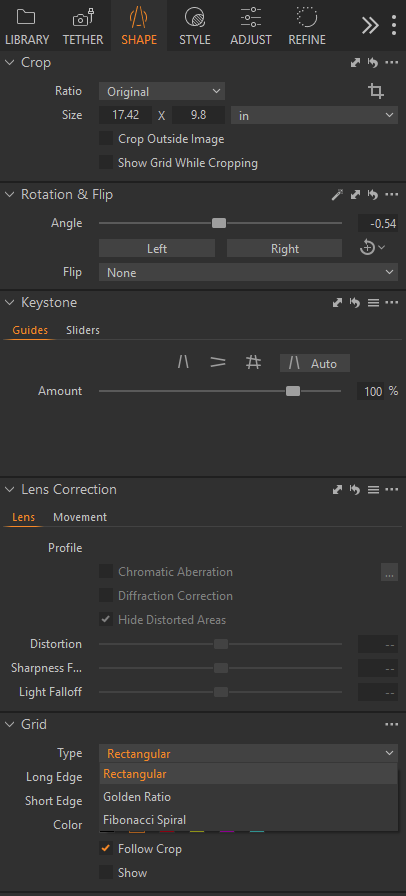
In the new version 16.2.2 I can't edit the crop grid type, as it was before: between 3 types: Rectangular grid, Golden Ratio grid and Fibonacci Spiral grid. The drop down box does not appear at all. The most I can set is to show the grid and grid color in the view tab. Can you please tell me where to look for the type settings?
0
-

It is now under the "Shape" menu in the "Grid" section:
 2
2 -
Thanks a lot! Found.
0 -

I've updated this article to make it clearer where the Grid tool is located. Thanks for letting us know FirstName LastName
0
Post is closed for comments.
Comments
3 comments