A new keystone tool
Implemented
Updated April 5 2022 (with the release of version 15.2.0).
The previous malfunctioning has now been fixed, and some of the limitations have been removed (the visibility of lines and adjustment points has been improved; default vertical keystone amount has been changed to 100; auto-keystone has been added). Though the most acute limitation, the lack of independent adjustment points – see 1) below – is yet to be addressed.
This is an attempt to summarize in one place the requested features for an improved keystone tool.
1) Independent horizontal and vertical adjustment points (four independent lines, rather than four lines locked in a four-sided figure; eight adjustment points in all). (See these: 1, 2, 3, 4 and 5.)
2) The option to only place three lines (six adjustment points). This would be useful in a cases where one of the axes only has one line you can use for alignment. (See this topic.)
3) Retain adjustment point positions after the application is closed (see this).
4) Loupe showing the exact position of adjustment points while you drag and place them.
5) Option to move an entire line between two adjustment points (as opposed to one adjustment point at a time) (see this, for instance).
6) Maximize crop when using auto-keystone (see this: unnecessary cropping).
-

Congrats (no sarcasm) - I use TS lenses (C TS 17+ 5DS) and even in such troublesome environment auto-keystone now works (does not elsewhere) - for me one of the best updates since last engine update!!! - and guideline-keystone started to work as it should - it was roulette in square mode - now perfect IMHO.
0 -

Thomas, you summed it up very well.
Me too, I'm happy to see that the basic tool is now functional and that the improvements are going in the right direction. However, there is still huge room for improvement and I can only hope, and campaign, to see them in a future update.
1 -
The basic "guideline" way of keystone should allow more than 2 guides in "direction" (LR allows to draw some lines). My dream for the keystone is also the wide lenses correction tool which basically would place a photo to a part of a cylinder and then project this cylindrical photo to a plane. It would help avoiding the most frustrating moments with wide lenses both for architecture and the people group photo (complaints of "being too fat")
1 -

Just to add for the sake of completeness: the keystone tool in 15.3.1 still seems broken.
-1 -

Philip, would you like to elaborate?
1 -
I've added the request for an option to move an entire line between two adjustment points (as opposed to one adjustment point at a time).
1 -
Philip Warner: "Just to add for the sake of completeness: the keystone tool in 15.3.1 still seems broken."
I'm curious about this too. Since version 15.2.0, I haven't seen any of the previous malfunctioning. Though the lack of independent vertical and horizontal adjustment points (see the first item in the initial post) is still a severe limitation and makes it difficult to properly adjust images that aren't entirely simple.
Auto-keystone works reasonably well on images with unambiguous and clearly detectable lines, but it's easily thrown off by overhead wires, shadows, road markings, etc. etc. And when images aren't filled out by a straightforward rectangle, it very often takes quite a bit of fiddling to get a decent result. All of which could be avoided with independent vertical and horizontal adjustment points.
1 -
Yeah, it's unusable for some many images. What I expect: the keystone lines to become perpendicular to each other. What happens: they get moved around and slightly straightened.
This is not hard maths -- it should "just work" like in Lightroom and on my phone.
-1 -
@Alexander Fleming: The expectation is that when vertical and horizontal keystone is selected then the horizontal lines should become parallel with each other and the vertical lines should become parallel with each other. This does not happen and, afaict, can not be made to happen with any slider setting (120% and/or any manual setttings). There is (and always has been) something fundamentally broken here.
-1 -
@Philip, please post examples of images where the lines don't become parallel, and what workflow you used: guides or auto. Because the improvement with 15.2 did solve exactly that problem, which had existed for years.
1 -
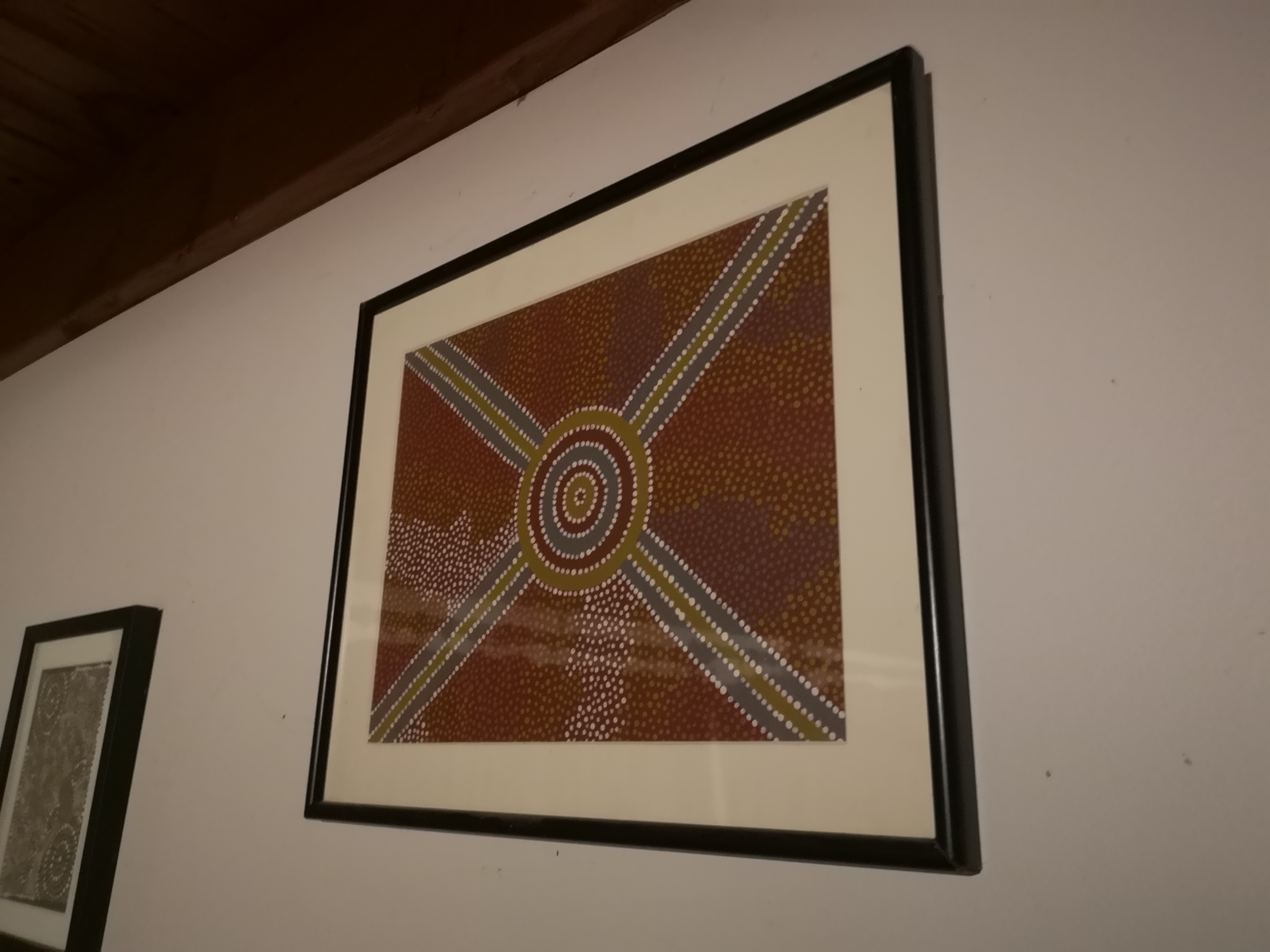
It would be *REALLY* good if it is fixed, but I could not manually straighten this test image using the 'both' setting on the keystone tool.
-1 -
(pretty much any unevenly skewed image fails)
-1 -
@Philip, this is also a very unrealistic example. It will reach the boundary of what the tool can do while retaining the image quality given by the lens profile. Shoot better if you want the lines in this to be perfectly parallel.
The tool will provide parallel lines, every time, when your input is not this extreme.
1 -
"The tool will provide parallel lines, every time, when your input is not this extreme." is kind of like saying it will work except when it doesn't.
I have less extreme examples that don't work as well - you asked for an example, and this is one. The tool should straighten the image -- and perhaps warn about quality etc. It should be up to the user to make artistic and creative decisions and not have them imposed by artificial software limits.
-1 -
To be clear, this is not rocket science. This is what an app on my phone can do (while preserving as much original detail as possible):
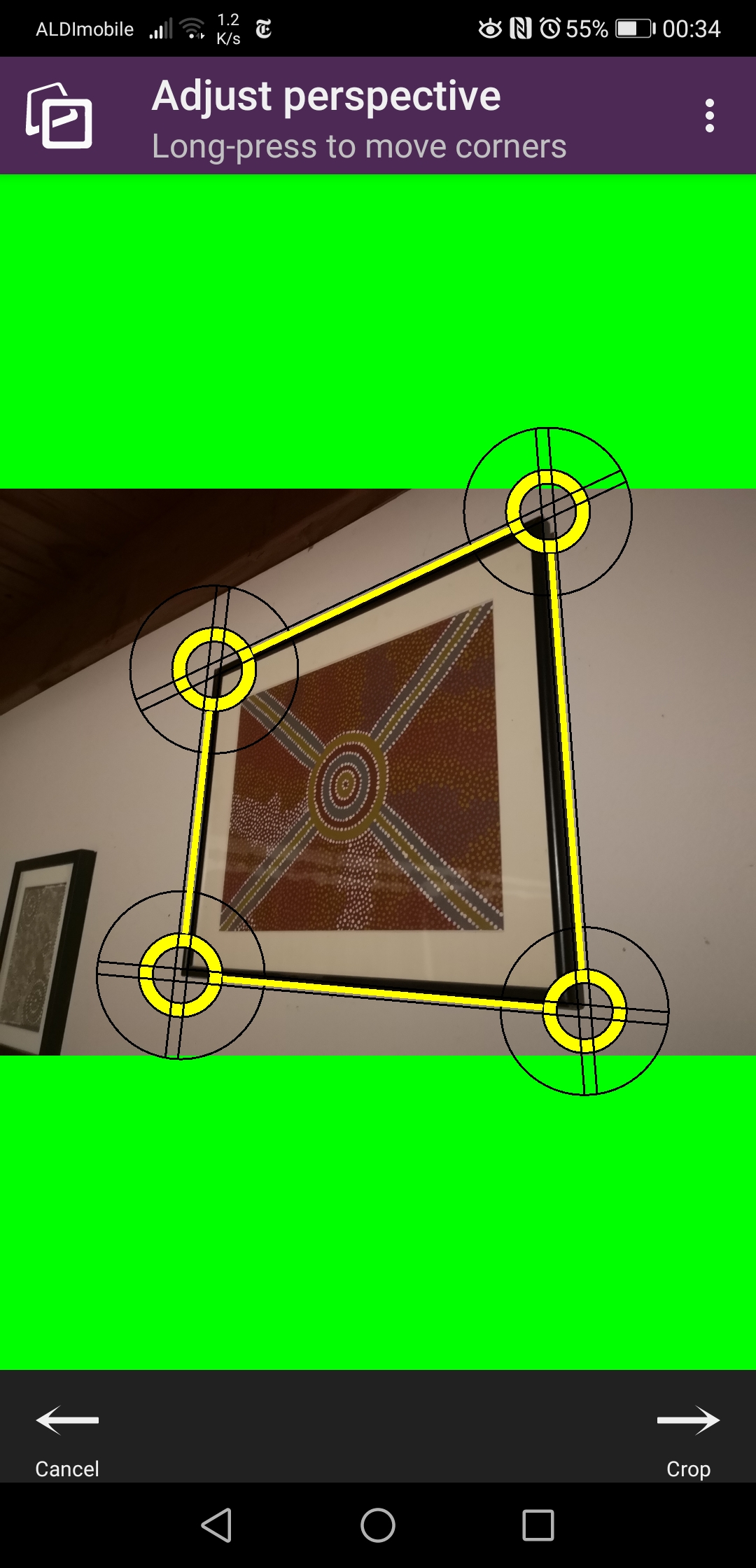
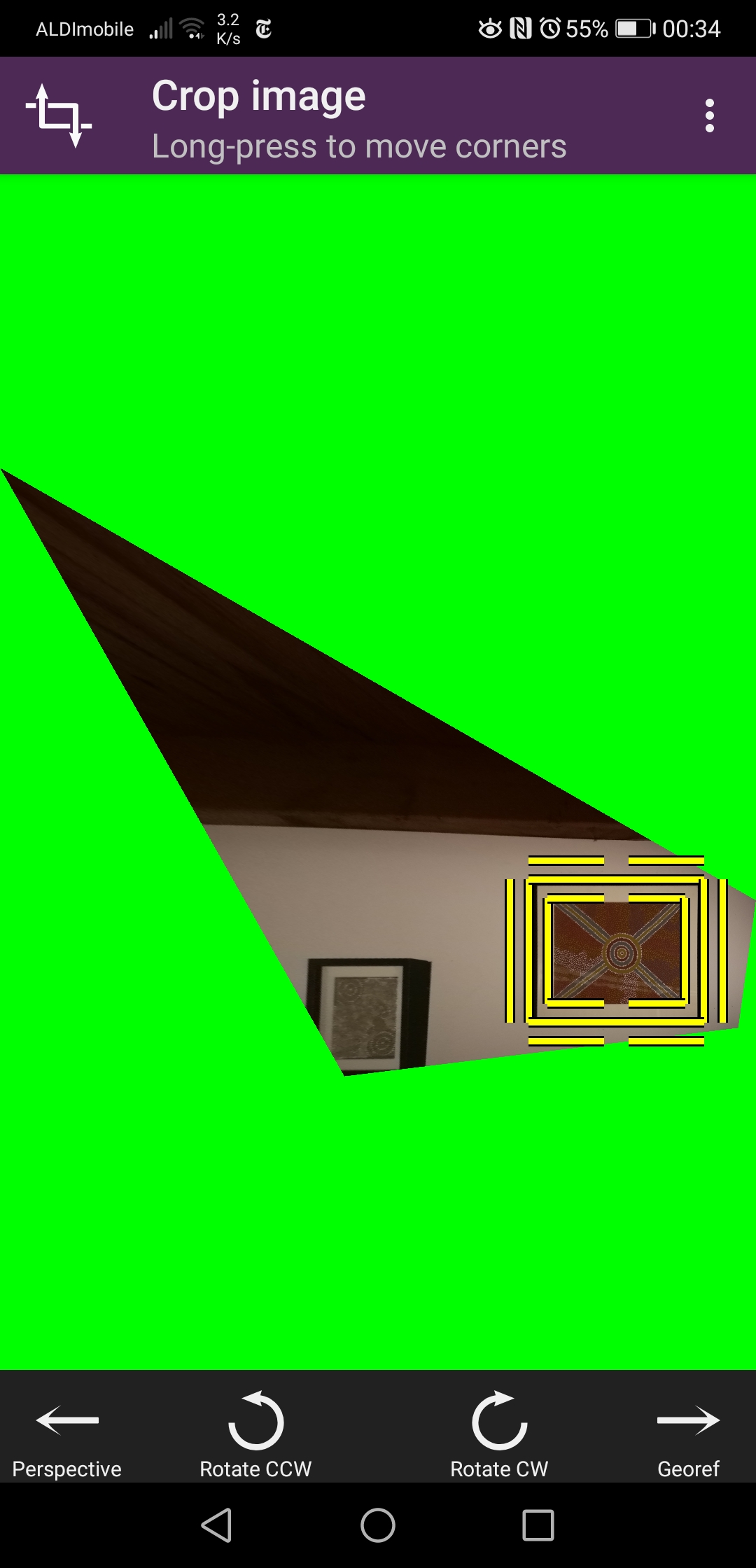
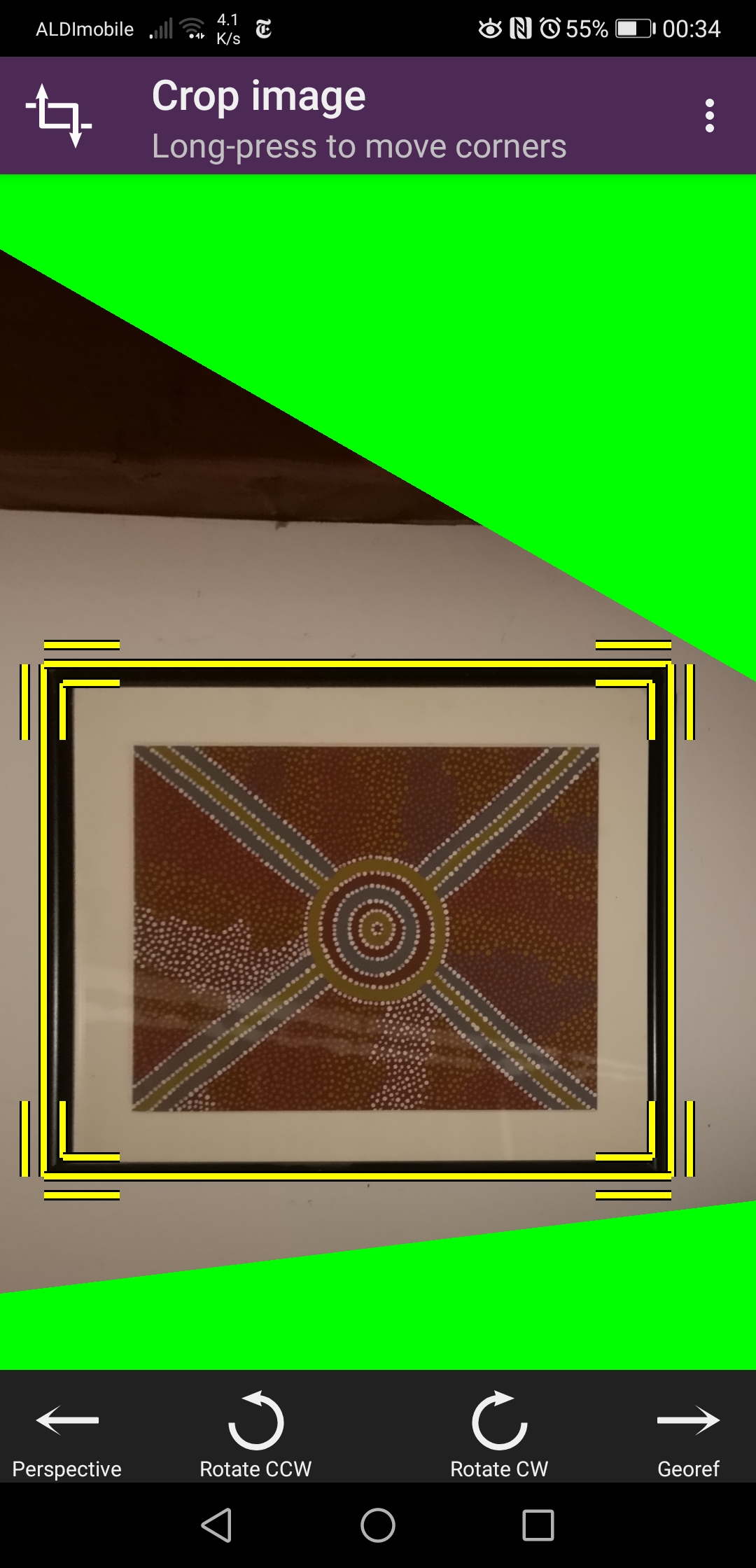 -1
-1 -
...lightroom can do this as well.
0 -
The keystone tool is (severely) limited in several respects, including what it's able correct, but after the 15.2.0 update it's no longer broken. Though I agree that the limitation exemplified above is unnecessary and should be removed.
0 -

Not exactly broken, but indeed limited. And when a limit is reached, for instance vertical correction maxed out at 75, it also impacts horizontal correction.
Keystone correction using horizontal+vertical guides, amount at 100% which the help page says "This means that the result renders perfectly vertical and/or horizontal lines" :
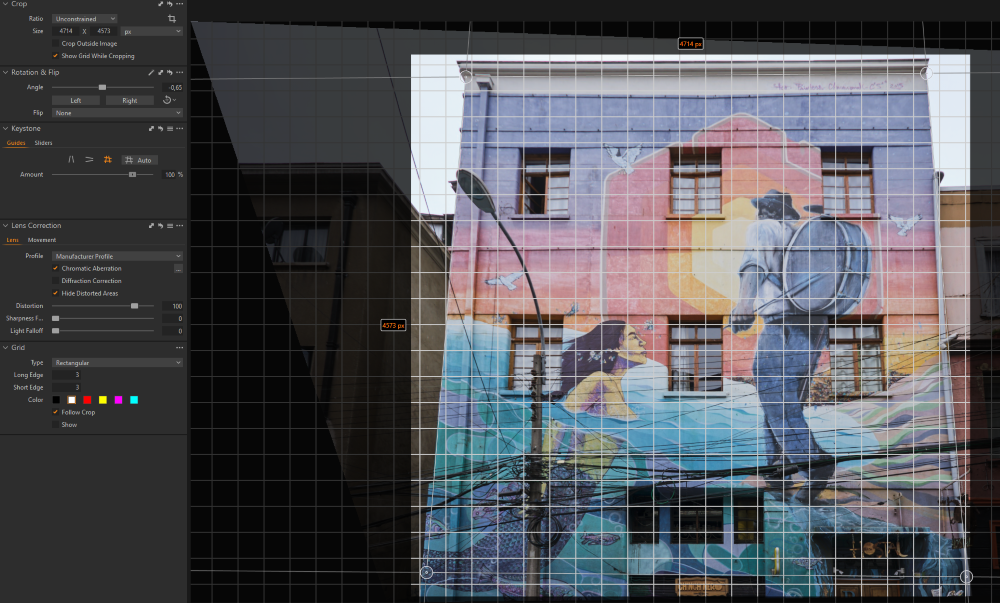
As you can see, the result is not perfectly vertical nor horizontal.
the issue: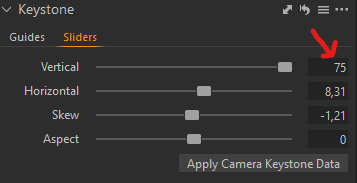
It can be pushed a bit by upping the amount to 120%, which improves the verticals to almost being vertical - but not quite. It doesn't fix the horizontals. Rotation is also off.
Manually I can reach a better result by tweaking the horizontal an rotation sliders. Still not perfect.
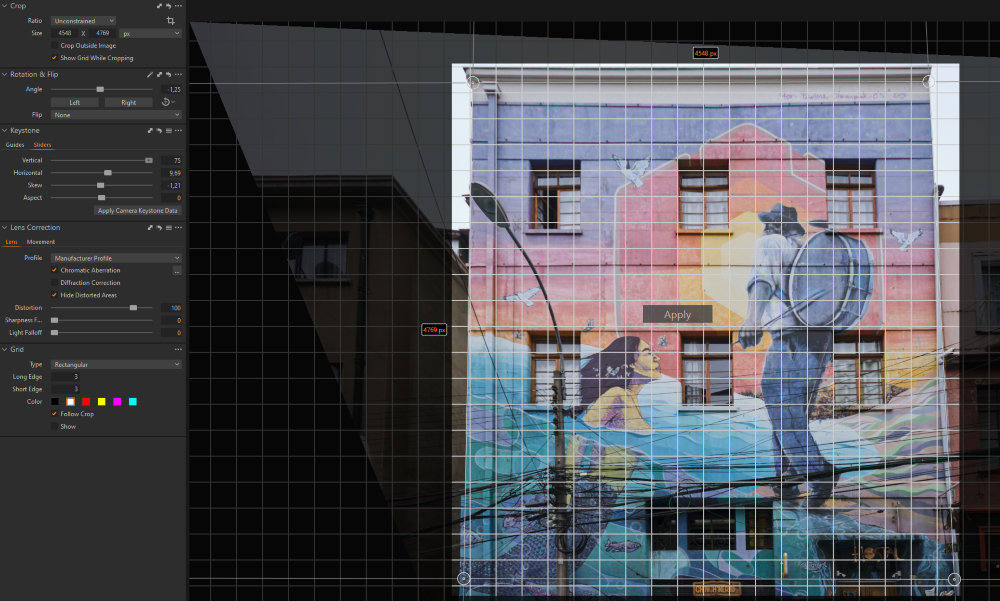 0
0 -
Auto-keystone. Lots of lines available here, and yet:
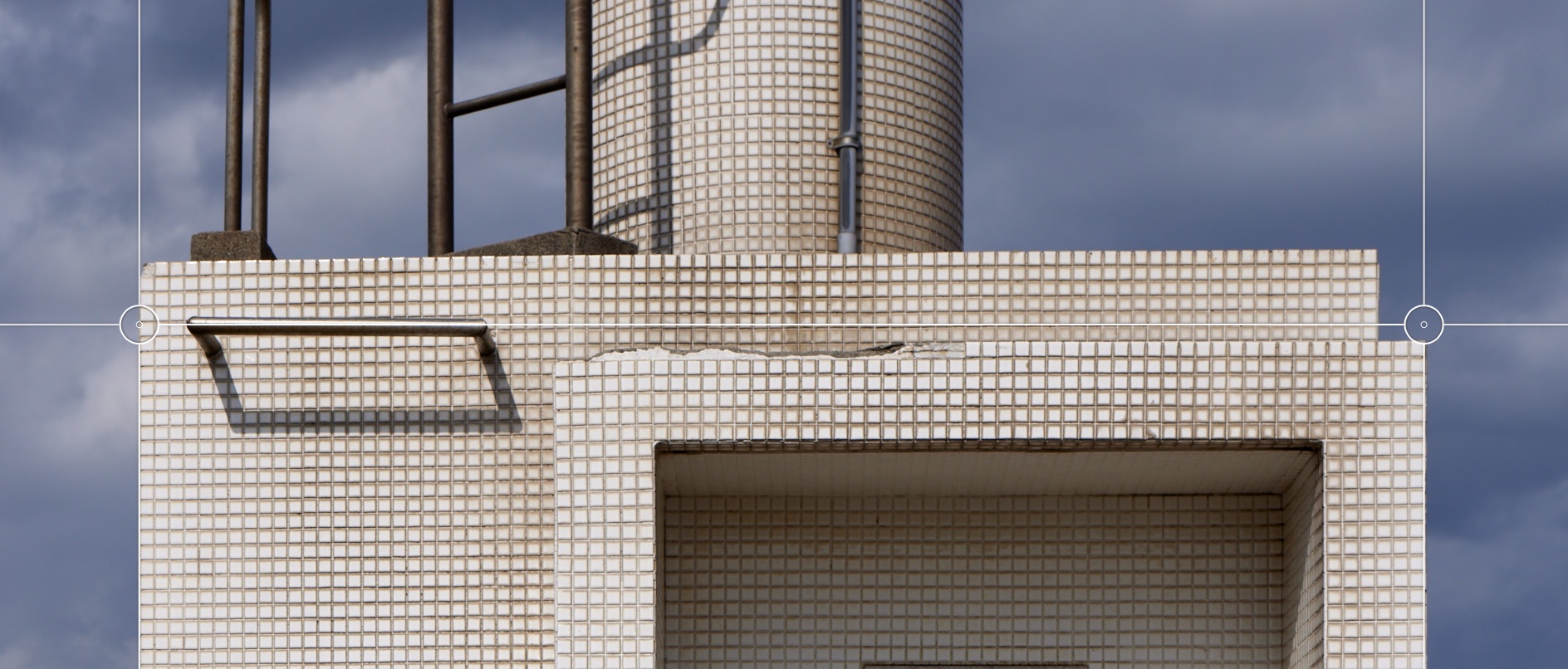 0
0 -
Auto-keystone. Despite the distinct line in the photo.
 0
0 -

Ready to pay for this bugfix in future?
0 -
I'd much rather pay for an improved keystone tool than for many of the new features Capture One has introduced over the last few years.
1 -
Months past since the Keystone tool has not been improved.
Some of us get contacted to improve the tool and we have seen very promising proposition. Some of them get implemented, along with long awaited bug fixes, then everything stops. Why?I'm still looking forward to a possibility to be able to zoom when I place a point. Since the circle is already present, the function or key to activate it is missing. I would also like the position to stay saved with the file when Capure One is closed.
0 -
Even in opensource Darktable it is more efficient... At least unleash the 4 guidelines from the rectangle mode for the starters - more like in DXO. And kind of merge keystone with crop, so no switching tools was needed. Next step maybe follow the reshape tool like in DXO (similar to principles of puppet wrap in PS...but more like the Affinit Photo way)
0 -
As a Phase One user, changing software is not an option for now.
Knowing also that sending massive requests from many users about keystone improvement had an effect, I think we should make this effort again. I don't have a lot of request except the one mentioned up here, as I am not a fan of AI automatic stuff or too much in the need for 4 separate lines, but I thing we could start by updating our wishlist.
0
Post is closed for comments.
Comments
145 comments