A new keystone tool
Implemented
Updated April 5 2022 (with the release of version 15.2.0).
The previous malfunctioning has now been fixed, and some of the limitations have been removed (the visibility of lines and adjustment points has been improved; default vertical keystone amount has been changed to 100; auto-keystone has been added). Though the most acute limitation, the lack of independent adjustment points – see 1) below – is yet to be addressed.
This is an attempt to summarize in one place the requested features for an improved keystone tool.
1) Independent horizontal and vertical adjustment points (four independent lines, rather than four lines locked in a four-sided figure; eight adjustment points in all). (See these: 1, 2, 3, 4 and 5.)
2) The option to only place three lines (six adjustment points). This would be useful in a cases where one of the axes only has one line you can use for alignment. (See this topic.)
3) Retain adjustment point positions after the application is closed (see this).
4) Loupe showing the exact position of adjustment points while you drag and place them.
5) Option to move an entire line between two adjustment points (as opposed to one adjustment point at a time) (see this, for instance).
6) Maximize crop when using auto-keystone (see this: unnecessary cropping).
-
Good idea, Leo.
I've contacted support about problems with the keystone tool several times, and just did so again with the latest two examples in this thread, including screenshots and eip files (ticket #112902). At one point, last year I think, it sounded like they actually took it seriously, but after that I've only received what was more or less standard replies.
1 -

better go to instagram twitter, facebook..... worked already for the output panel. ;-)
0 -
I'm afraid I don't think any of those will work when it's only a few people complaining.
0 -
but it is far more annoying for them and many are probably not even aware of the issue.
why do you think they stay away from this forum ? because of issues like this, they do not want to confirm such problems in public so they can keep their fake image of a superior software.
0 -
I've left comments quite a few times on FB and Twitter, but I don't think much is to be achieved that way, unless more users join in. It could potentially spread awareness of the issue, though with so many Capture One fans ready to deny that anything about the program could possible be less than ideal I imagine it's difficult to make much of an impression.
0 -

Honestly I gave up about a year ago. Tried to email them, tried this forum, tried the support tickets, but no luck. It is obvious to me that they are not care or interested, so I don't invest in it anymore. Competition is strong in the software industry, others can make these tools working perfectly.
0 -

Thomas,
I took a further look at the images of the Sponsor monolithic wall comparisons you posted earlier in the thread.
They helped quite a lot in understanding the concerns I have about the way that other applications process that sort of slightly out of square on image. C1 too ... but, for that part at least, it may be a matter of taste.
So here goes.
The Wall can be assumed, I think, to have panels of equal dimensions - or at least equal enough at the scale to make no difference to the outcome.
My main interest is in the height of the panels measured between the very obvious horizontal bars between each panel.
In the original image, the lowest panel with a full width is the one with the Hauwei logo and the top panel with the clearest boundaries is the one with the large red corporate logo. So these were the ones I compared.
In the original image, the measured height of the panel is 18 for the lower panel and 9 for the upper panel since it is further away from the "viewing" point. So the dimensional ratio at the point of capture is 18:9.
Checking that against the first, uncorrected, Capture One screengrab I see something more like 19:9 and I think that is good enough to suggest sufficient consistency in the measurement method for this comparison.
In the C1 "corrected" screen capture, the ratio is 17:16. In effect that suggests that the vertical correction intended to eliminate the distortion due to looking up has indeed made the panels, vertically, the same height. More or less if one accepts that the measurement method is imperfect when based on screen captures.
By comparison, the LR corrected example gives a ratio of 12:14. So the top panel, after correction, is larger, vertically, than the lower panel. However, it does have the benefit, for rectangular presentation requirements, of making the verticals parallel.
Nevertheless, to my eyes, the "top-heavy" look and the potential for distorting details (especially if attempting reproduction of images of documents or artwork for example where small details and proportions may matter more) is not really desireable.
So for historic archival consistency, the current C1 process should be retained.
To satisfy those here that really want the Adobe approach an alternative processing method could be adopted.
Better, perhaps, would be that a NEW tool could be offered (perhaps in addition to the other proposed methods) that provides for some really nicely balanced and precise correction for 3D type adjustments along with lens correction parameters and specific horizontal or vertical baseline reference setting.
Maybe the best hope is that the pre-announced Panorama and HDR development will result in some smart stitching algorithms that might also require some sound perspective correction type mathematics to make them really powerful. Something that might be adapted to Keystone work as well.
The most realistic results I can remember seeing rendered came from software used for capturing 360-degree images for forensic work or ray tracing for graphics AI back when Computer Generated Graphics was coming out of specialist studios into the mainstream.
The key there was that, apart from the system having something like 24 stops of DR sensitivity captured - well beyond the capability of a display to show as a single on-screen image - it also captured and stored measured distances to a large number of key points in the image. From those measurements the software could accurately calculate and adjust for just about any distortion in 3 planes once the data was converted to a 2-dimensional presentation.
The downside back then might have been the relatively low resolution available compared to the top-of-the-range cameras being announced. However, what it offered seemed quite unique at the time. But highly specialized.
Presumably most digital cameras will have at least some distance measurement values stored, if only for recording focus relevant performance data. Or maybe lens correction?
Whether the data would be generic enough to allow it to be used across camera ranges by a third-party application is probably unlikely.
We might see such things on an iPhone first. ;)
0 -
@SFA – Distortion is inevitable. The more correction, the more distortion. The Bic Camera facade photo was only an example of two issues with the keystone tool; you would’t necessarily want to use that degree of adjustment. But as countless other examples have shown, you get keystone errors also with subtle adjustments where there’s no discernible distortion.
The main point is that in addition to never having been developed beyond a rudimentary state, the keystone tool often produces incorrect results. After ten years in this state, it should be about time for an update.
And one last thing. The keystone tool should work on any supported file type regardless of image content, camera, etc. It is used on a two-dimensional medium, regardless of what is represented in this medium, if anything at all, and the dimensionality of what is represented is basically irrelevant: the result of applying keystone correction should be vertical and horizontal lines corresponding to where the adjustment points have been placed, regardless of how this proces is handled.
0 -
@SFA
thank you for this entertaining essay full of alternative facts and as usual with a spin to make broken c1 functions desirable but maybe you are writing to us from a parallel universe where rectangular is not bound to a 90º angle.
0 -
@ thomas
Distortion is inevitable
yes and this is why all of this tools offer the possibility to adjust proportions maybe SFA will discover this some day too but what is really sad is the fact that many modern cameras have an orientation sensor but this data is not written to exif and so useless.
0 -
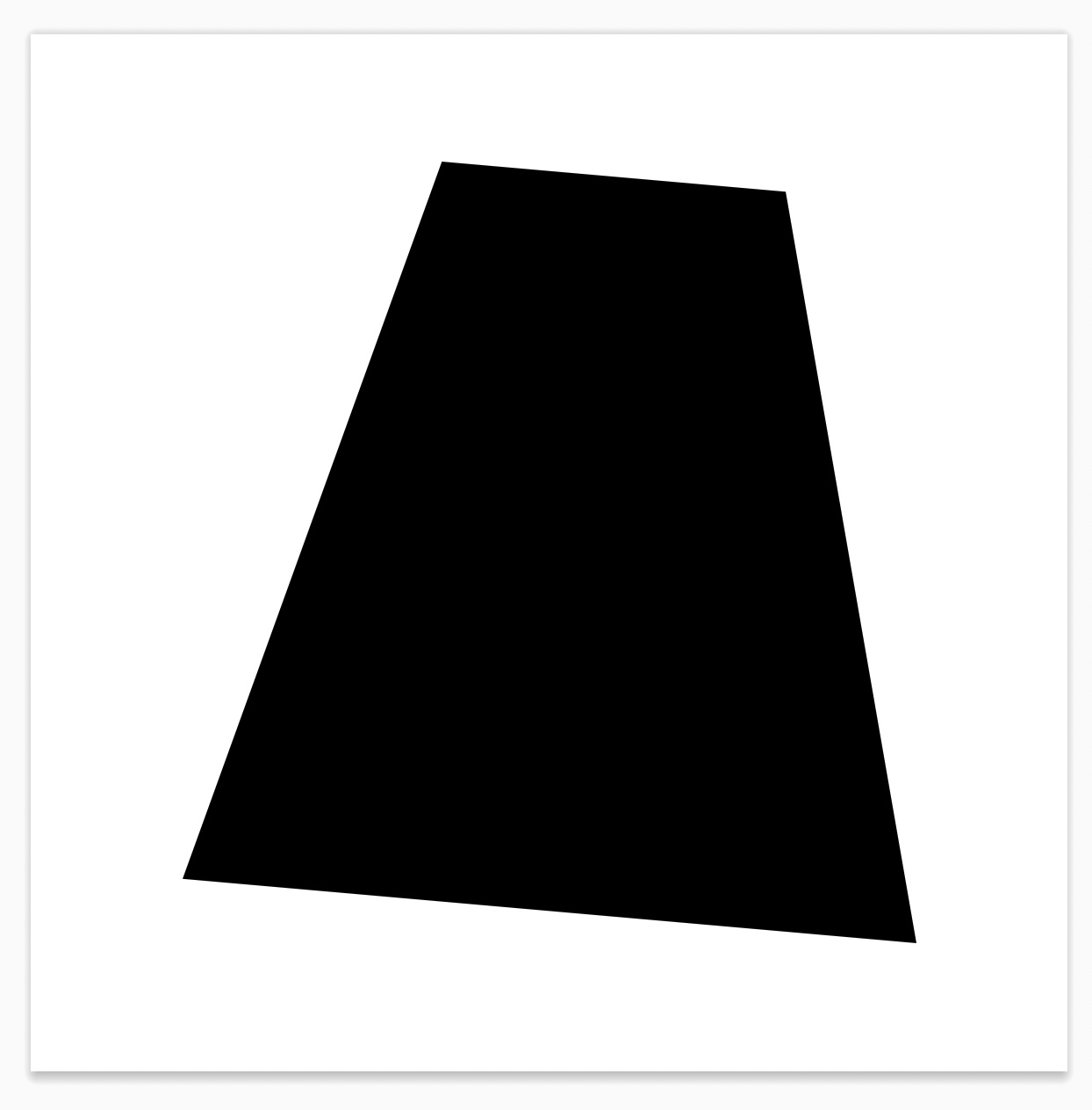
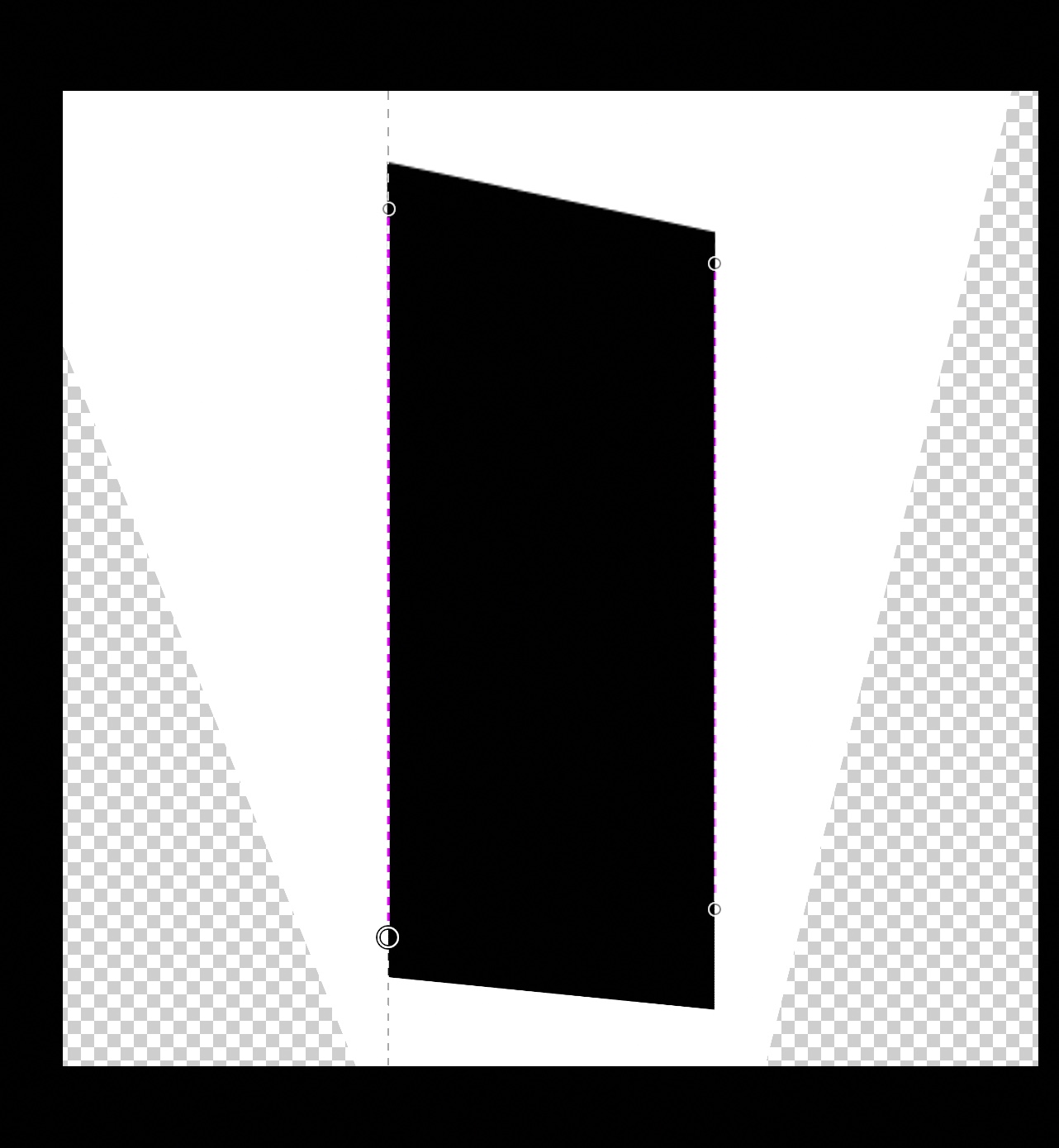
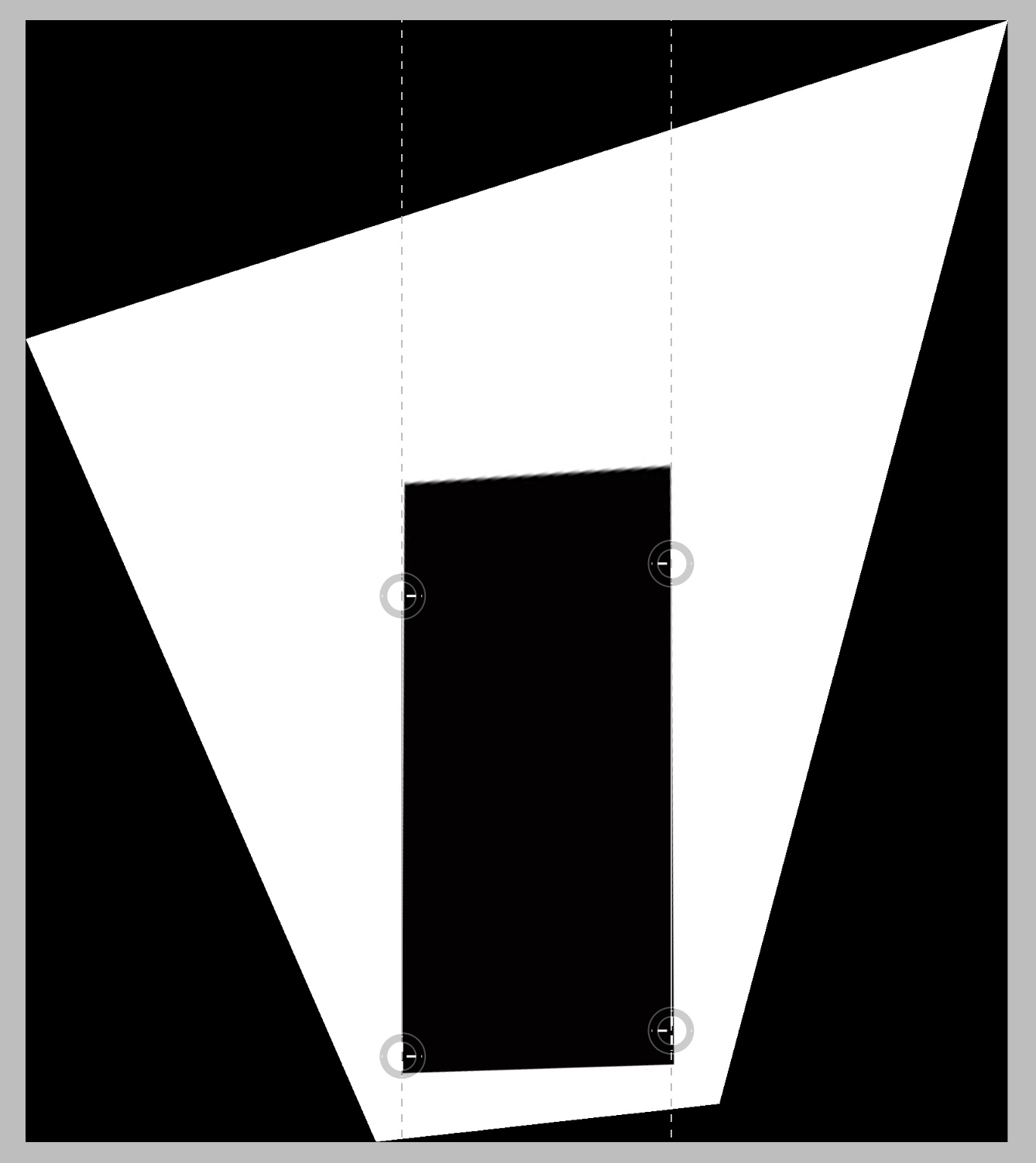
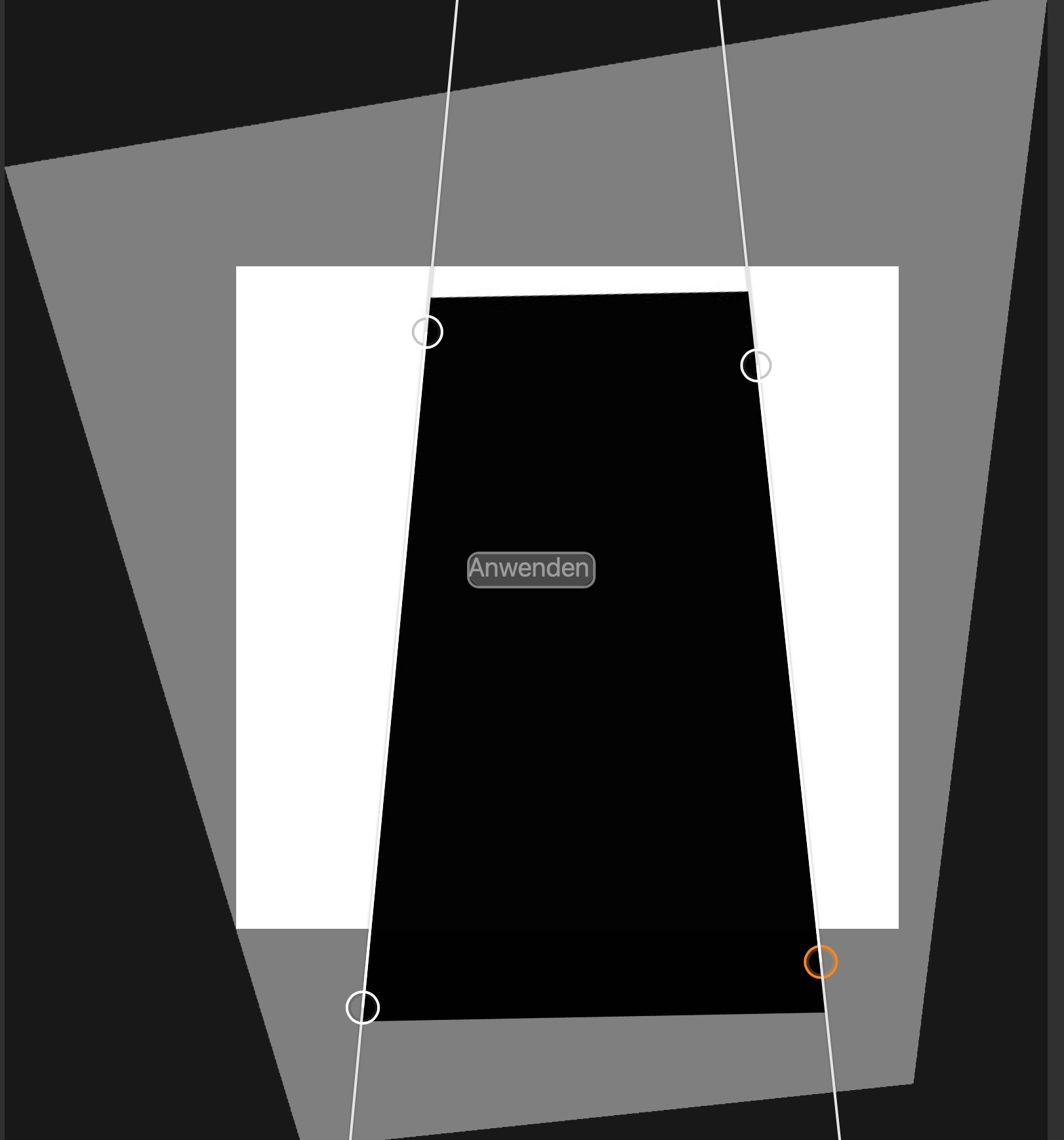
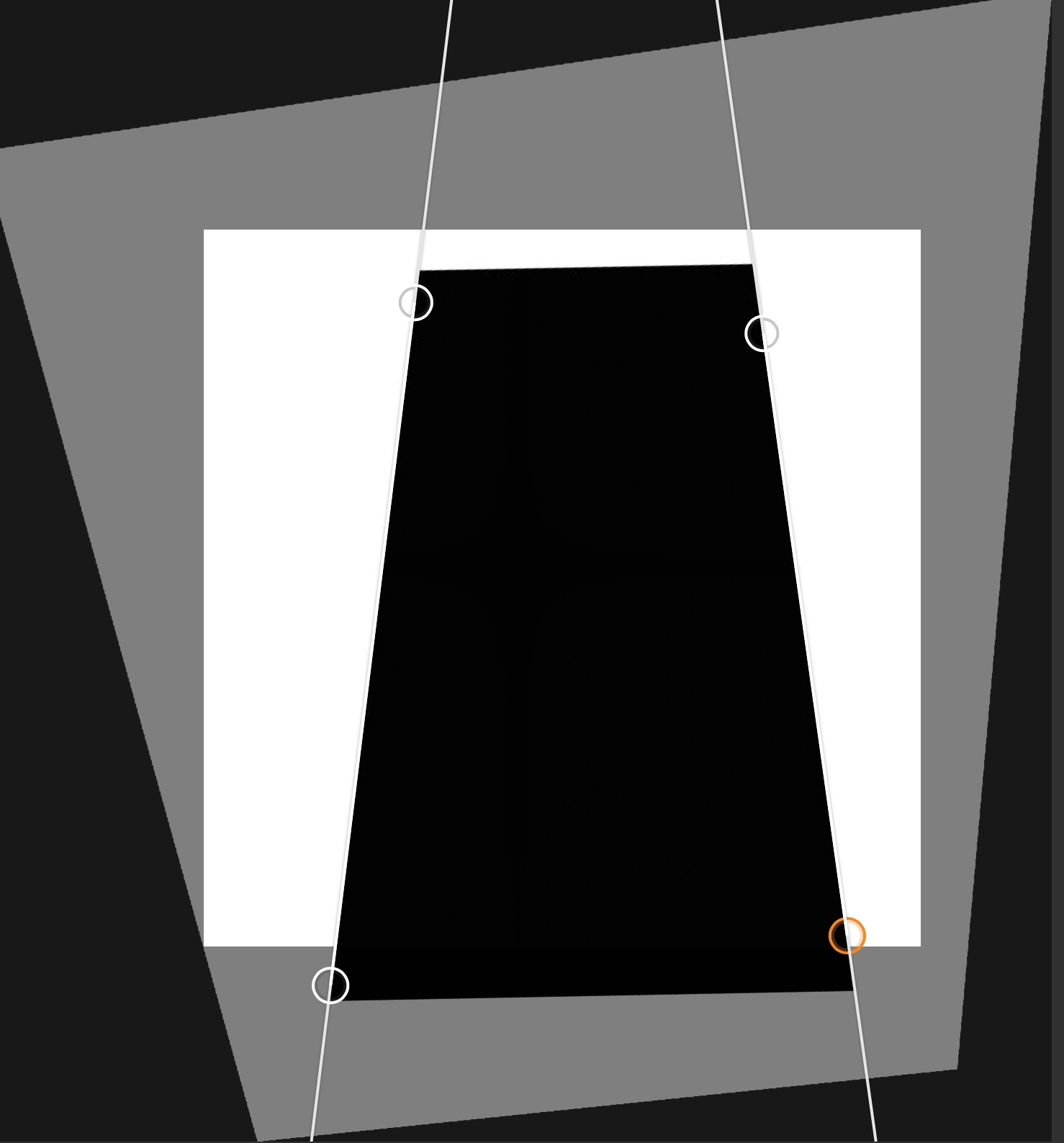
the original was a square I applied 15 degree perspective correction in PS and 5 degree rotation. c1 is at 80% &100
 0
0 -
I can't find the thread now, but a while ago someone who was involved in making the keystone tool wrote that it will not work with image files that aren't photos as it somehow relies on camera data for the adjustments involved (I'm unable to detect any such difference though; tests with non-photo image files produce the same results as with actual photos). If this is the case, it is perhaps not impossible that it works differently with Phase One cameras than it does with other cameras.
0 -

Thomas, you are totally right. Only images work, it is camera dependent (part of the reason they have difficulties to resolve the problem) and yes, it work a specific way with Phase One, as the auto-correction works only with Phase One.
Curiously, the autocorrection with Phase One works quite well. But if you try then to manually correct the keystone, then weird stuff happens. I reported to Phase One as a Phase One user and they were not able to solve the problem.
0 -
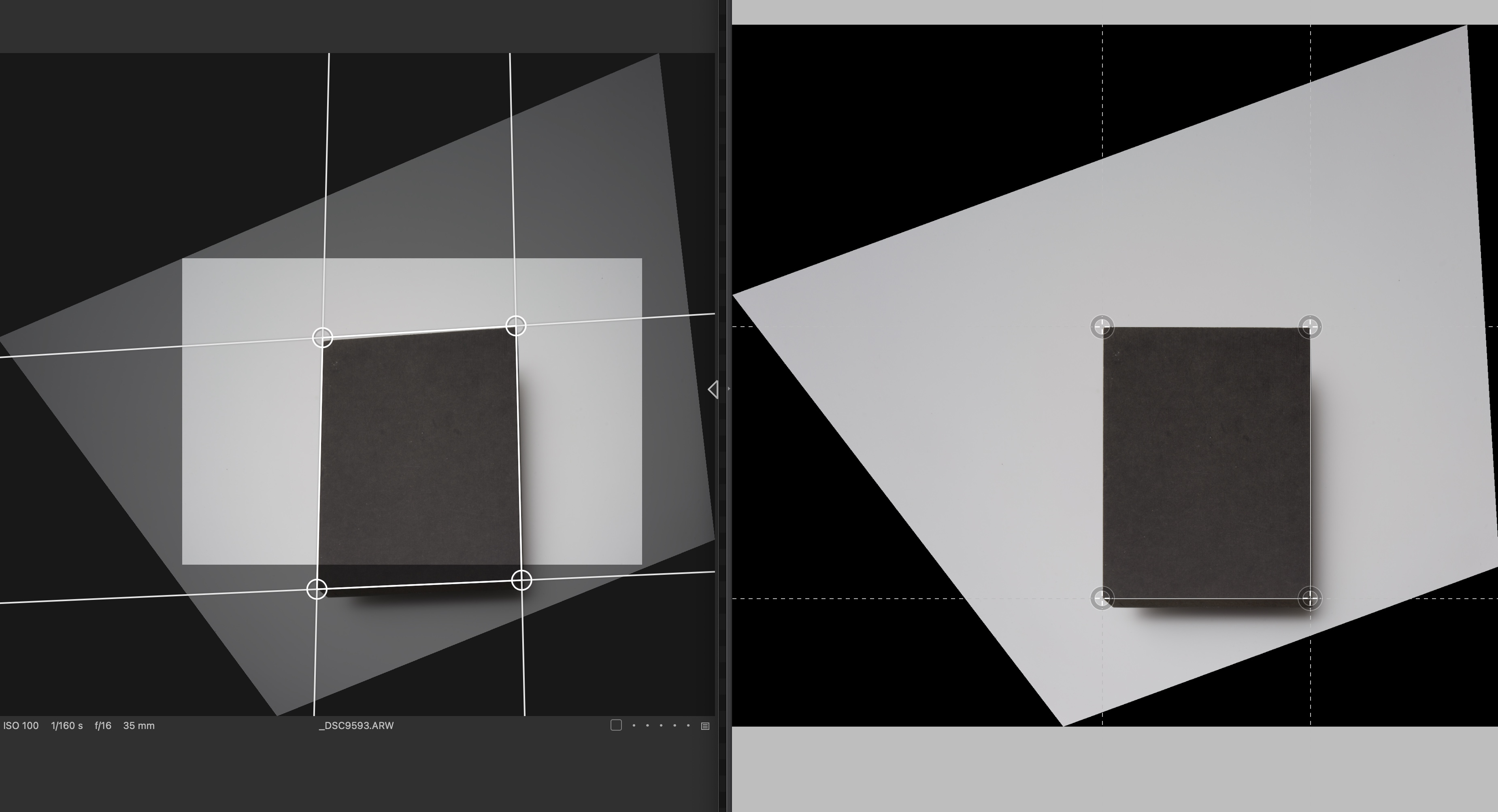
hm, possible
 1
1 -
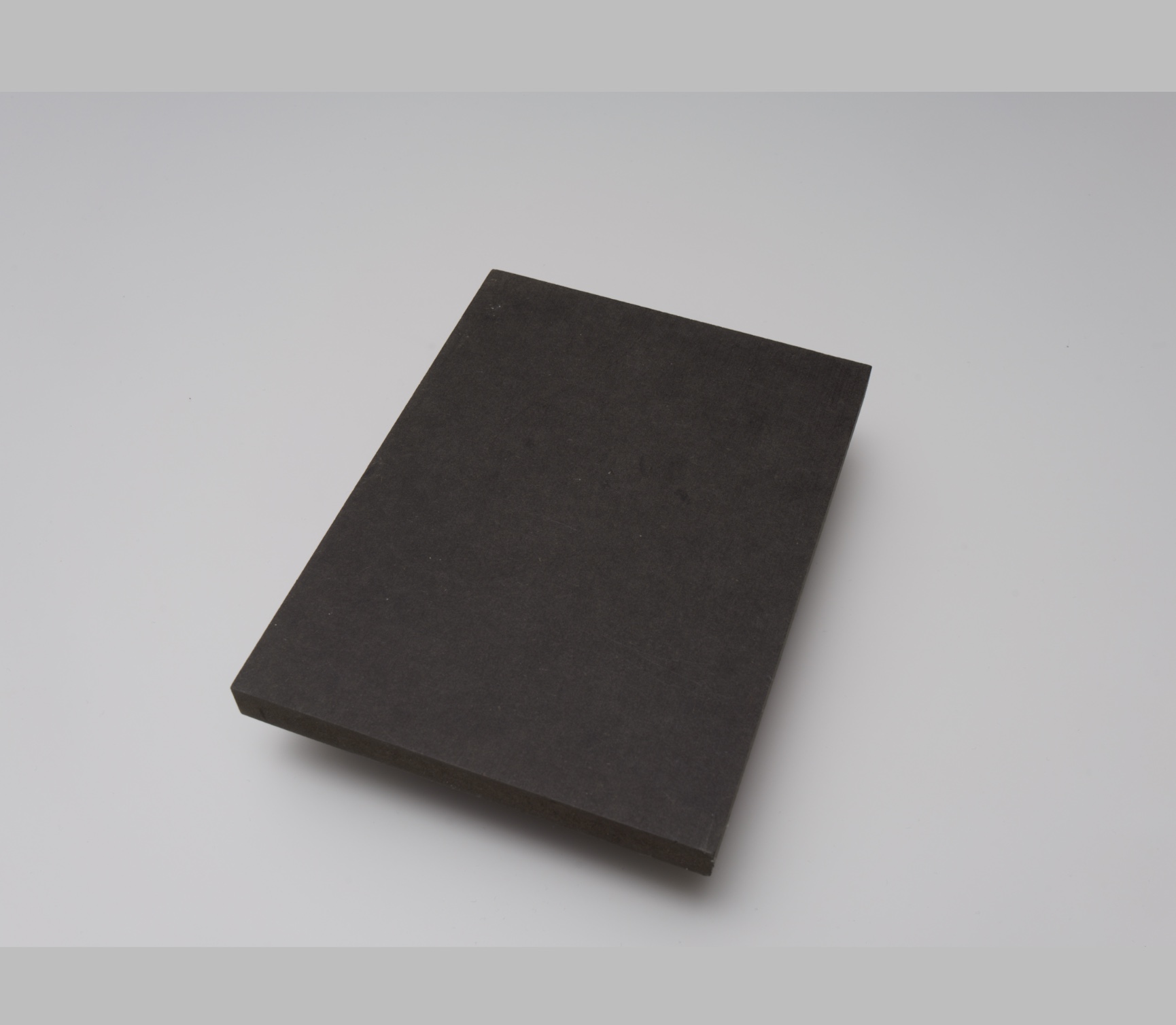
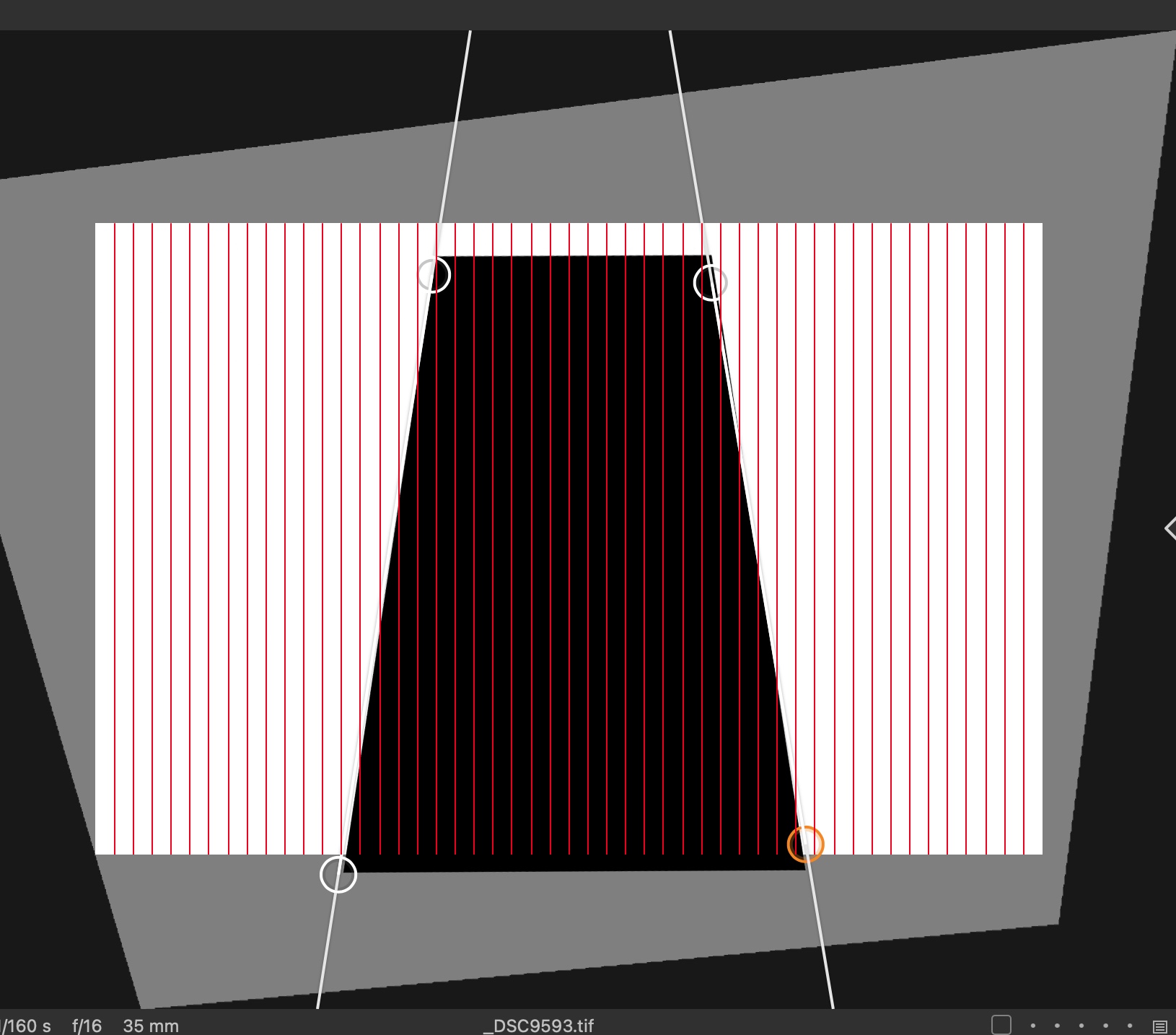
i´m not convinced this is really camera related as it is simple geometry and what kind of factor should play a role ? ps and dxo have no problem to force parallel lines what is exactly this tool should do. so I copied the synthetic image over the real studio shot.... and as aspected it makes no difference when c1 has access to the exif info
 0
0 -
Try something: if your camera/lens is recognized by Capture One, try to change the lens profile. It’s usually completely mess up your keystone behavior.
I guess the talk is interesting here between us to understand better the faulty behavior of the keystone correction tool, but it will not, in any way, arrive to Capture One hears.
But with such “educative” examples, I will continue to suggest to send support tickets WITH .eip.
I strongly believe Catpure One didn’t use enough this tool, or on a specific way we use, to identify clearly the problem.
Each time I send a ticket I receive an answer explaining me how to use keystone tool, and the exchange finish usually when I show them the faulty behavior.Also, if someone is more fluent in English here than me, it would be useful to make a video showing them the problems we encounter.
0 -
my guess is that as with other c1 tools they try to apply some kind of voodoo correction which does give more or less wrong results under certain circumstances. ps and dxo assume an observer on the ground or bottom of the image but priorize parallel lines over proportions why c1 seems to balance them.
1 -
I don't know how works statistics (votes and comments) on the forum and if C1 are taking them into accounts, but if I look at some subject they recently worked on (like the #bring back output panel) it seams to be that way. We maybe need them more vote and comment on that topic, so be sure to vote! ;-)
I also sent just now that support ticket, I thing we should all sent one these day, talking about that post and the keystone tool problem. Maybe our voice will be heard.
Dear Capture One,
Since several years now, many users are struggling (and complaining) about the faulty behavior of the keystone correction tool.
See user forum here:
- keystone malfunction (request #15943)
https://support.captureone.com/hc/en-us/community/posts/360009406077-Keystone-malfunction-request-15943-
- Keystone Tool Still Broken in 14.4
https://support.captureone.com/hc/en-us/community/posts/4408331872401-Keystone-Tool-Still-Broken-in-14-4?page=1#community_comment_4408365256849
- Perspective
https://support.captureone.com/hc/en-us/community/posts/360014136118-PerspectiveAnd was summarized with lot of exemple in this post:
- A new keystone tool
https://support.captureone.com/hc/en-us/community/posts/360014158198-A-new-keystone-tool?page=1#community_comment_4408382084625But the community of user we are, never received, on the Capture One Users Forum or after support ticket, a real answer if or when this long time issue will be resolved, or at least something else than the standard "it will be reported to the R&D department".
There is now a group of users, including professional photographers, using different kind of cameras, including Phase One, willing to help to fix keystone tool problems and bringing some ideas (see "A new keystone tool" post on the forum) to improve greatly that forgotten but usefull tool.
So dear Capture One, could we find a way to resolve that long time, and irritating, issue?
Thanks in advance for your answer,
Leo Fabrizio3 -
Thanks Thomas for this description and analysis. From my point it covers all aspects of the wrecked tool. Seeing it still has not been resolved in the latest version I will not upgrade to the latest version 21/22. Pretty unbelievable ... I consider this as an essential tool in a RAW converter ... But you see that's what happens, when arrogance meets ignorance ;-)
2 -
lets face it, they are already fully aware of this issue. this problem probably needs a full rewrite of the code and so it is a simple business decision for them not to fix it as the 80% setting hides the issue for 95% anyway. what I have learn from this little exercise is that I will use PS more often to correct prospective than this tools.
0 -
I must say I doubt that the 80% default is so thought through as to serve the purpose of covering up the faulty state of the keystone tool. It seems to me more likely to be the result of a limited familiarity with how this type of tool is generally used.
0 -
CSP, I understand your frustration, and for my point of view you are of course absolutely free to use the tool you want. For me, as a Phase One user (and until the divorce between Phase One and Capture is not official 🙄) I stuck with Capture One. Even if I do believe C1 is a good tool too for my Nikon or Fuji files and I just would like to see some improvement on some parts.
Working since the beginning with Capture One, I know they went trough their own path, with opening the soft to other brand, that lead to the creation of a new company distinct from Phase One, then the brand "strategy" to work with internet influencers and now the new CEO and the proclaimed wish to listen to user.
We can doubt on this last statement, but if you followed the whole #bringbacktheoutputpanel drama, users' voices have been heard...
My suggestion then is just bring as many voices as possible and complain directly and altogether to C1.
I still have the hope our voice can be heard.1 -
sure, but it is very helpful to mask the underlaying problem, assuming most user are amateurs this is not so bad as it prevents overcorrection but I would prefer a 100 % default. the issue for me is that they never really improved old tools but just added new ones c1 feels totally unmaintained compared to other software.
0 -
Definitely, a 100% default is the only right default. 80% is completely arbitrary and makes no sense at all.
2 -
Yes, I am for the 100% default too, even if I do like the possibility of a percentage.
With strong correction, an optical visual compensation is needed to fight an over-corrected feeling and percentage can do this quite well.
0 -
leo, i believe the real pressure to bring back the output panel was coming from the p1hardware user like (rental) studios as they are the last save space for a diminishing p1 MF market and to keep them happy has for sure very high priority before they start thinking switching to fuji ;-)
0 -
Thomas,
80% default is clearly not "arbitrary". It has, as documented years ago, a chosen purpose.
You may not like it and that's fine.
100% would be purely "Arbitrary" depending on what "100%" might actually mean when interpreting whatever the application does to assess and apply adjustments.
The default has already been changed to 100% as I recall.
-1 -

Yes I do think the default has been changed to 100 which does help. Regarding the theory I’ve seen brought up about why C1 doesn’t have the ability to draw arbitrary correction lines like ACR, well the development version of Rawtherapee has it and holy cow is crazy powerful. Infinitely more fine grained control over every aspect of the raw development process compared even to C1.
Building the dev version of Rawtherapee though may be a bit daunting for the non super geeks so keep an eye out for the 5.9 release it’s on 5.8 now.
0 -
@SFA – No, the default is still 80% (as you would know if you made regular use of the keystone tool).
100% means parallel verticals and is therefore not arbitrary. Everything else will result in nonparallel verticals, i.e. verticals at some degree of convergence, and will in that sense be arbitrary.
In addition to this, an amount of 80% regardless of the content and the intended result is clearly also arbitrary (cf. the examples above, where 80% would not have looked more “natural” or whatever the default is supposed to achieve, but just badly angled/adjusted).
Also, as said elsewhere, parallel verticals is a norm in architectural photography, etc., and if you wish to challenge that norm, you're welcome to do so, but this is not the right place for it.
1 -
you should not take this SFA guy serious he has clearly no real experience but feels entitled to post on everything acting like an expert in photography, so of course he defends this 80% BS following his mantra C1 IS ALWAYS RIGHT. when this looser would have done some serious architecture or interior work by himself he would have realised that an undercorrecion of 80% is always too much but so he is just parroting the manual.
PS.: in case I´m wrong just show us some of your work SFA and I apologise
0
Post is closed for comments.
Comments
145 comments